Pack 09
BUILD INSTRUCTIONS
Advice from the experts
Spare screws are included with each part. Occasionally, you may be instructed to keep spare or unused screws for a later stage. Keep these spares in a safe place and label them correctly.
Please make sure you don’t mix up the screws. They look quite similar, but the threads do vary slightly. Using the wrong screws may damage the parts. Only use the correct size screwdriver that fits the screw head firmly.
When securing parts together using multiple screws, fit each screw loosely to ensure all the parts are correctly aligned before gently tightening them firmly, but not overtight, in the order in which you placed them.
If the paint on the painted screws is scratched during the build, you can repaint it with Sand yellow (RAL 1002).
The screwdriver can be magnetized by stroking it with a magnet (fridge magnet, etc.) enabling it to hold the screws and make assembly easier.
If a screw is tight going into a metal part, do not force it as you may shear the head off. Remove it and put a tiny smear of Vaseline, soap or light oil on the thread. That will lubricate it and make it easier to tighten.
Some parts will require a little glue for assembly. Please apply glue sparingly and use a cocktail stick so that you don’t use too much nor apply the glue too heavily. We recommend superglue gel or Extra Thin Liquid modeling glue. Where possible, parts should be test-fitted in place before gluing.
Make sure you have good ventilation when using adhesives and to replace caps firmly.
Use a magnet to help find screws that have fallen on the floor.
Use masking tape to hold parts temporarily in place.
Cut parts from a sprue (framework) with side cutters or a craft knife. Side cutters tend to be easiest.
During the course of this build, you will receive many pieces that you will assemble immediately – following the instructions in the corresponding stage – and other pieces that you should store safely to one side, for use in future assembly stages.
Always protect the paint finish on components by placing a cutting mat, sheet of white paper or soft cloth on your work surface.
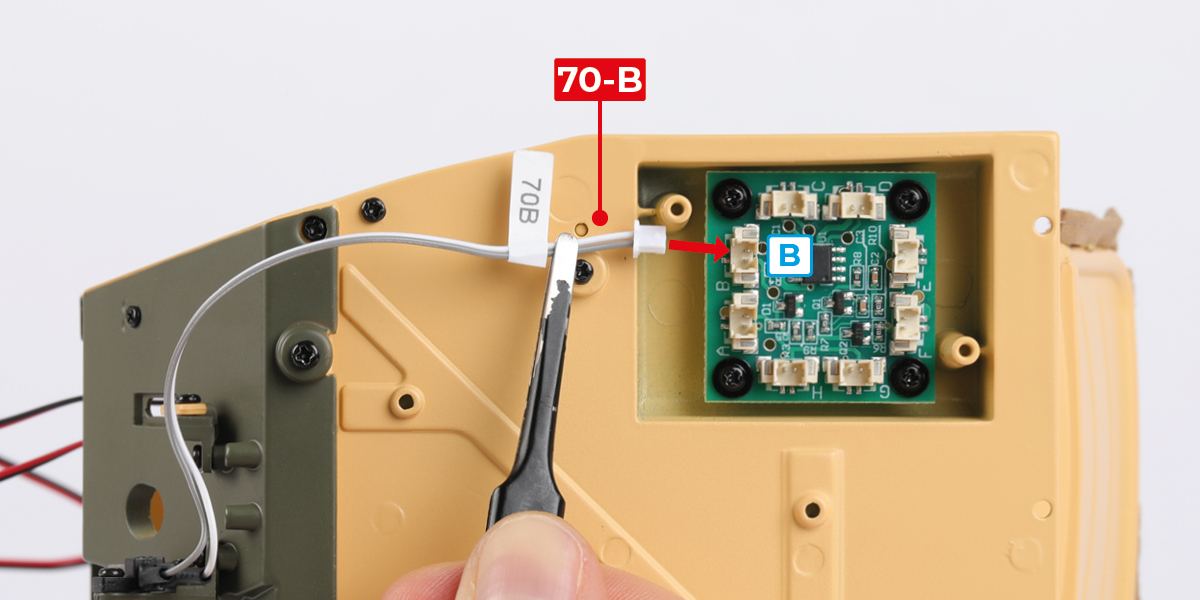
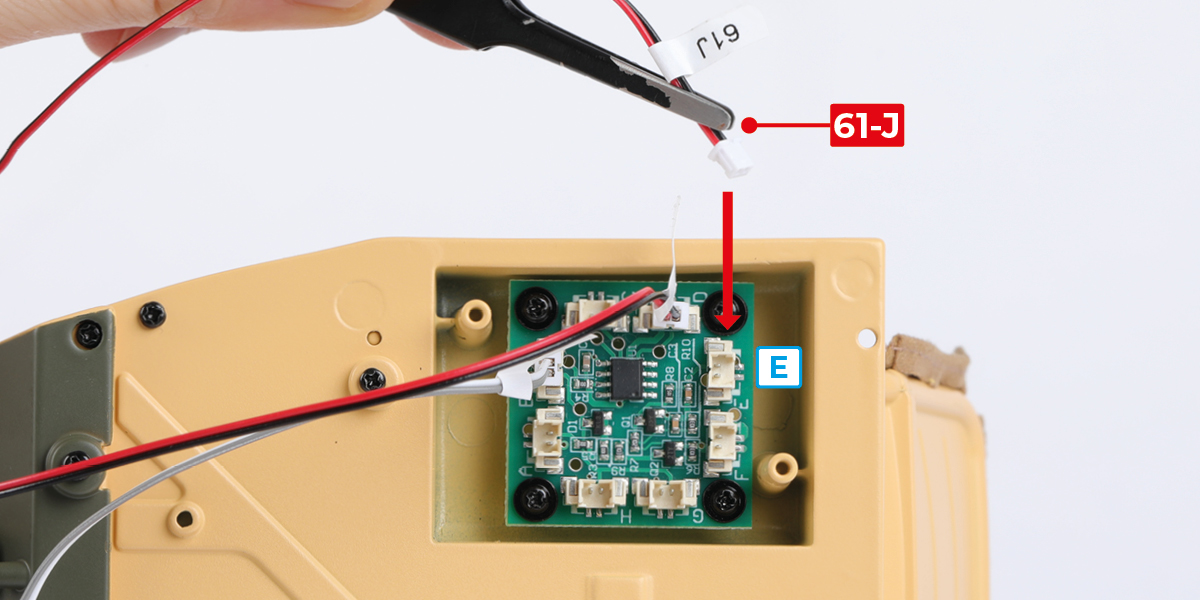
When plugging cables in, ensure the power is switched off. Tweezers can be used to fit the PVC cables by gripping carefully around 5mm from the end of the cable. If a cable needs to be removed from a socket, do not pull on the cable as this could damage the connection. Grip the plug with tweezers to remove it.
Left and Right! When building your SAS Willys Jeep, the left- or right-hand side refers to that side as if you are sitting in the car.
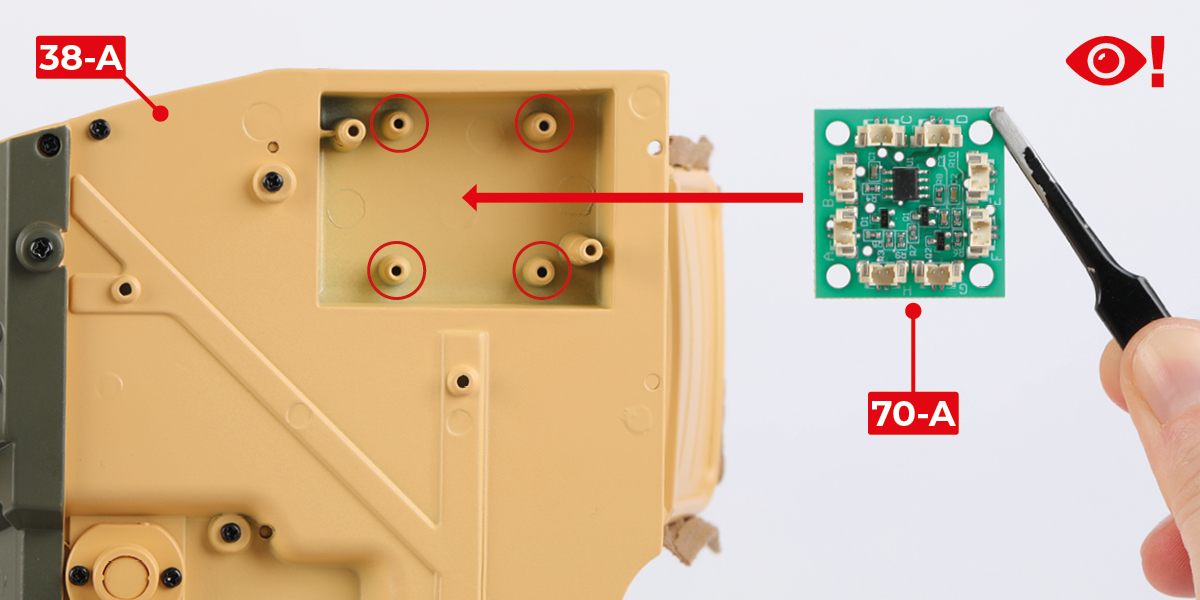
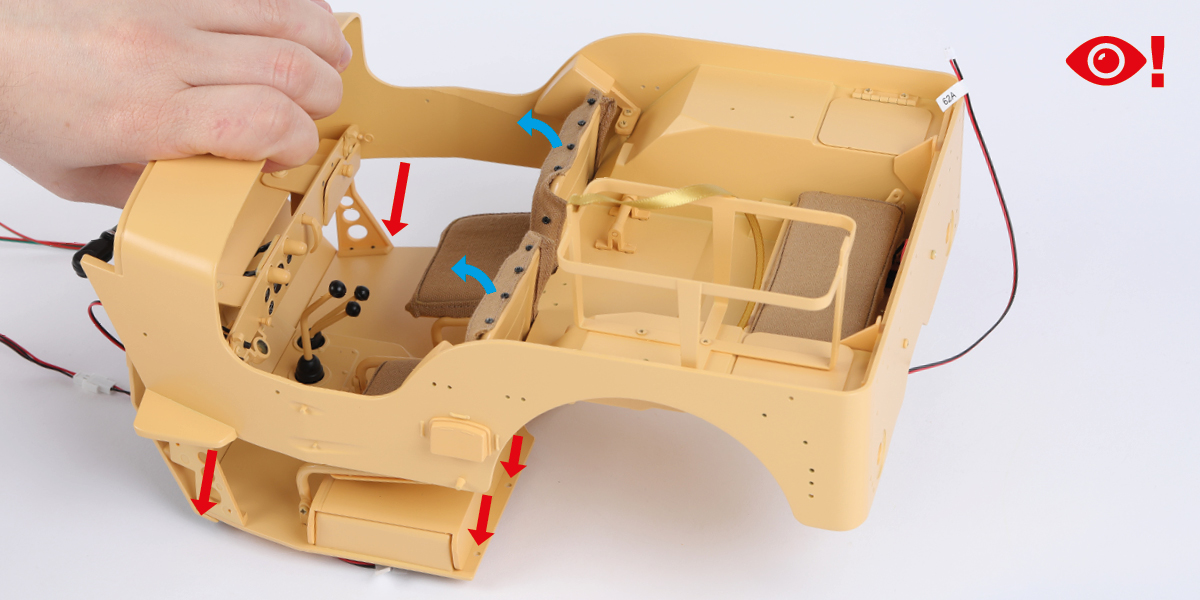
 When you see this symbol, pay attention to the instruction text in bold and check the orientation of the parts in the image as this will be particularly important for assembly in later stages.
WARNING: Some parts are assembled using magnets. These magnets can cause serious injury if they are swallowed. Keep away from children. If you suspect a magnet has been swallowed, seek medical help straight away.
This is not a toy. Not suitable for children under 14 years old due to small parts. Adult supervision required.
STAGE 63 PARTS

Step 1
Fit part 63-A to part 54-A (stage 62) with 1 BM screw.


Step 2
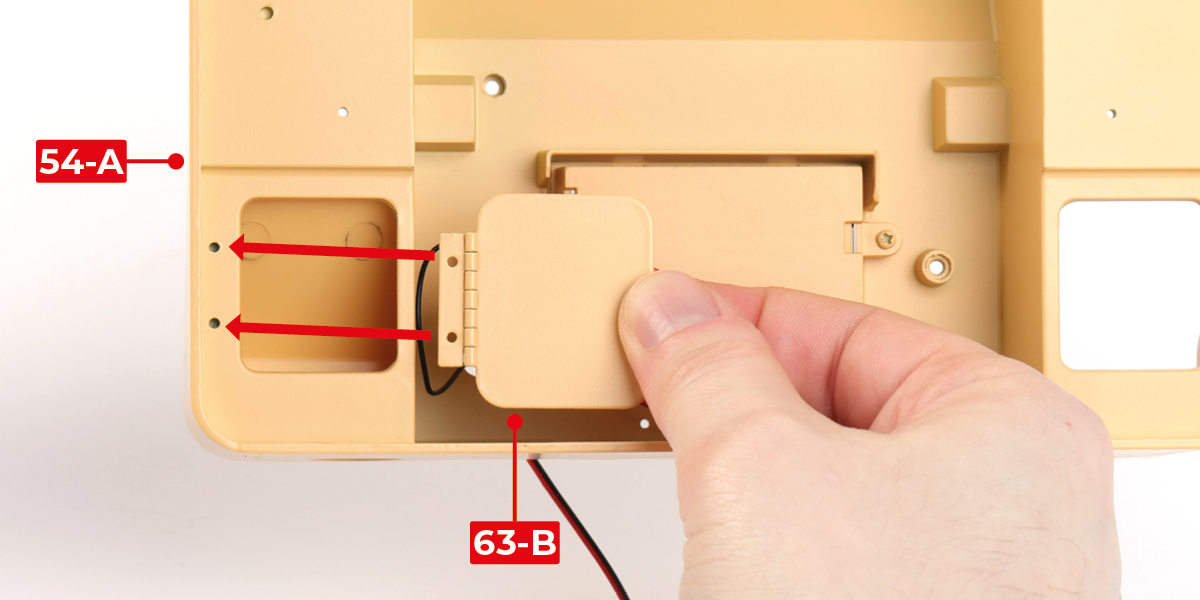
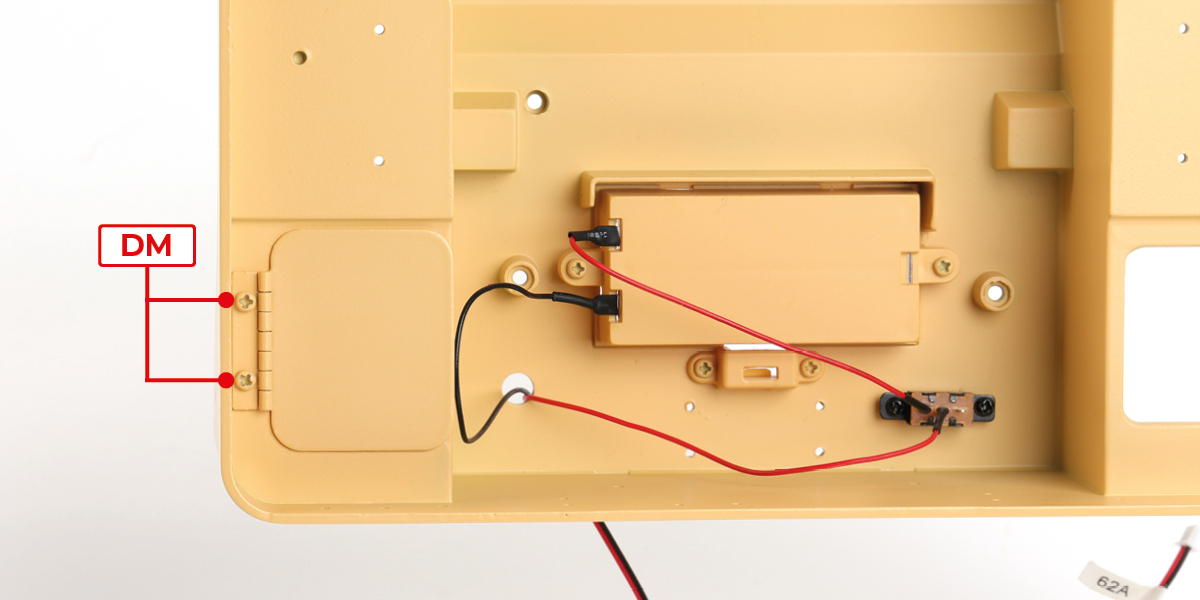
Fit part 63-B to part 54-A with 2 DM screws.
Step 3
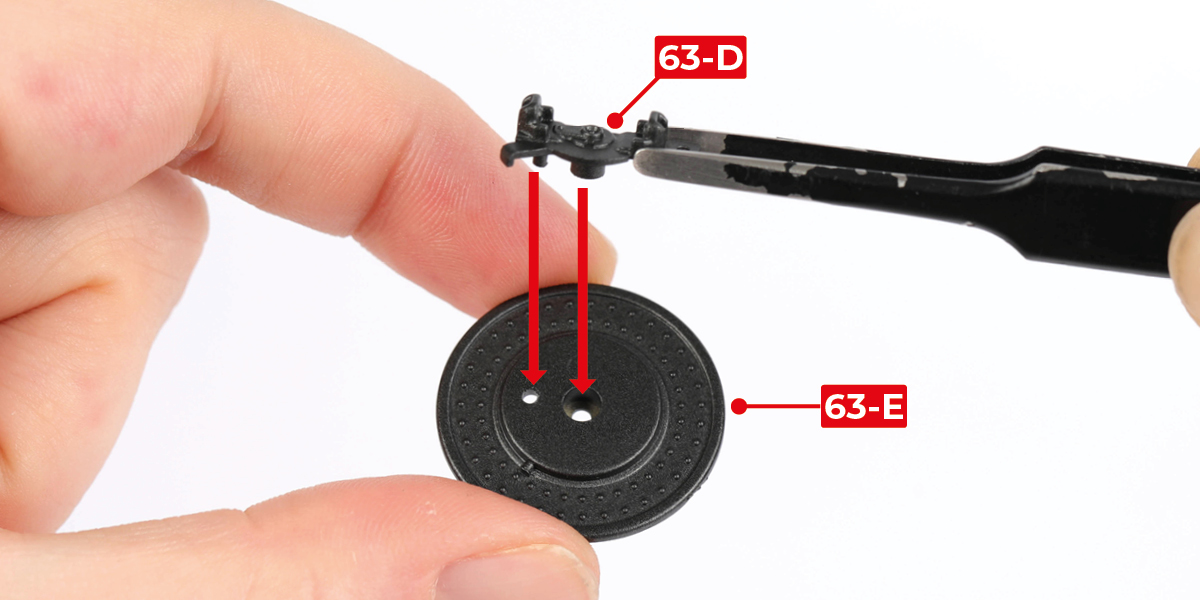
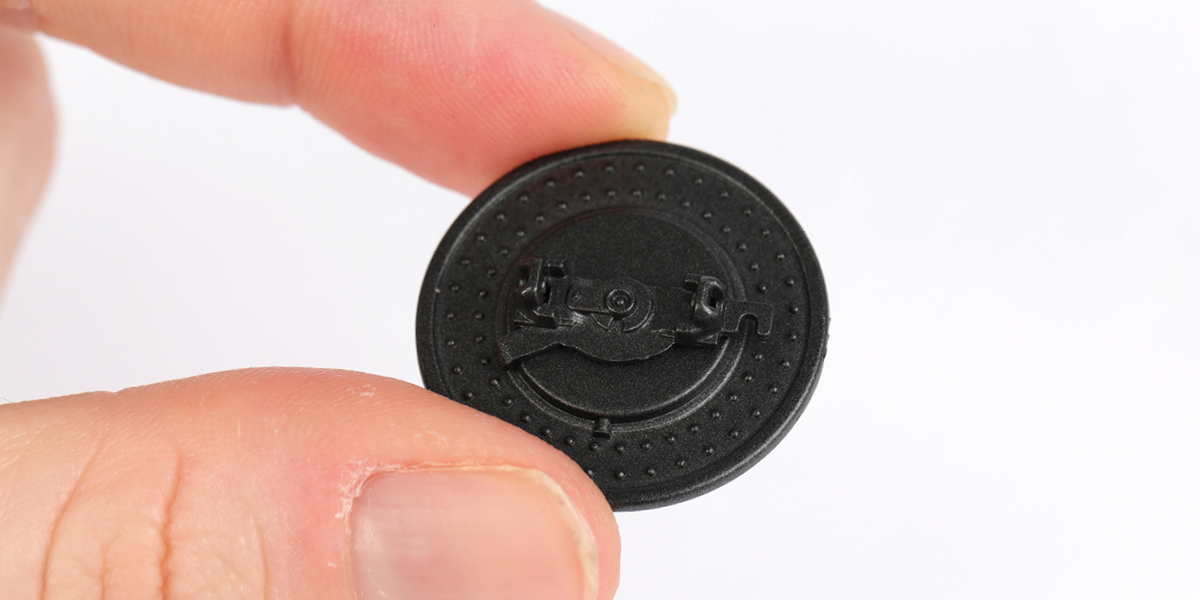
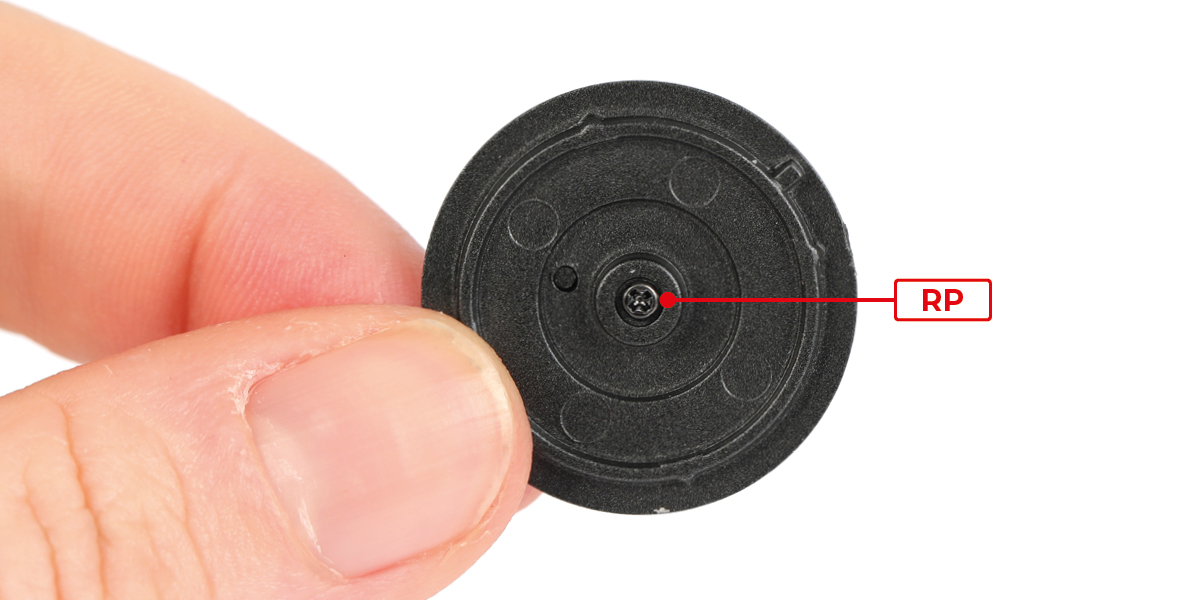
Fit part 63-D to part 63-E with 1 RP screw.
Step 4
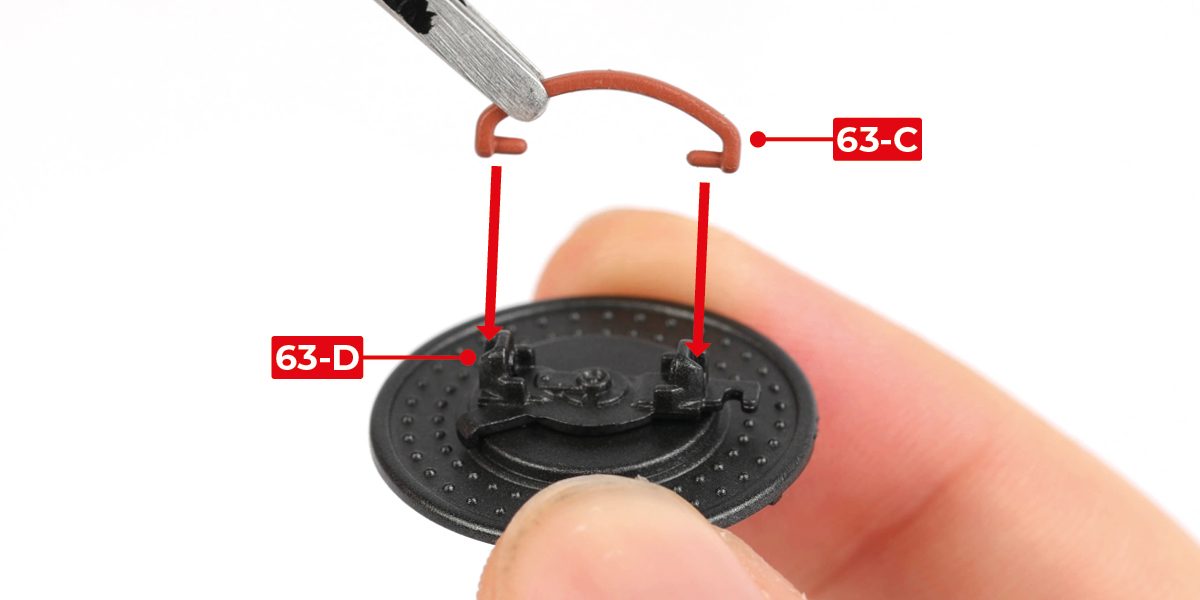
Fit part 63-C to part 63-D.

Step 5
Fit part 63-G to part 63-F.


Step 6
Peel the backing paper from part 63-I, then stick part 63-I to part 63-F. Remove the protective top layer.


Step 7
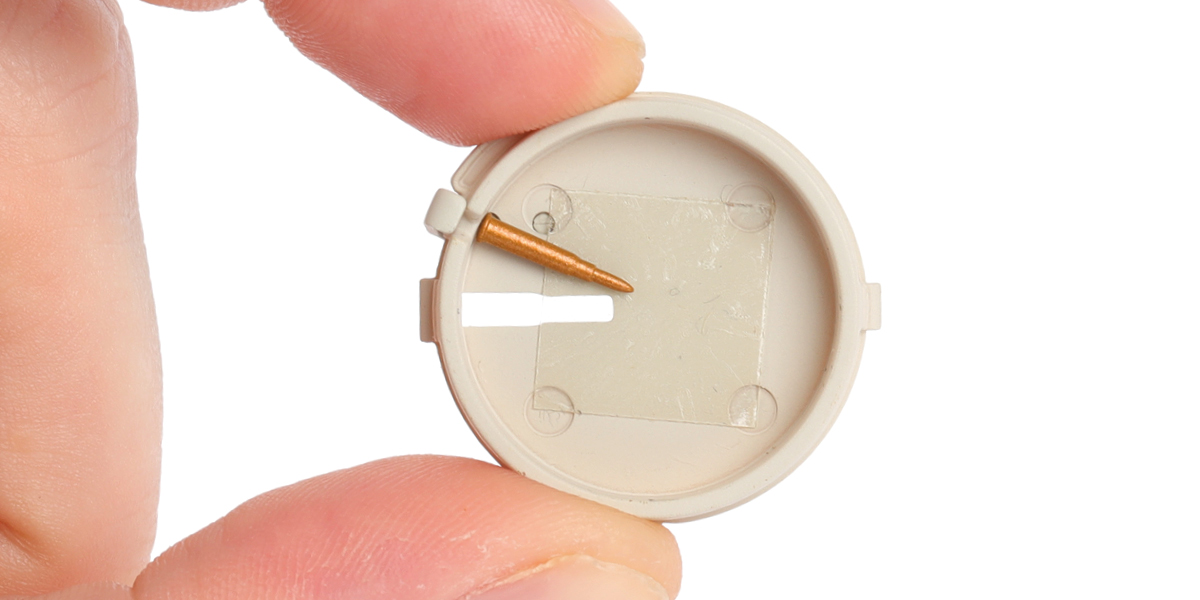
Cut 12 cartridges (parts 63-H) from the sprue.

Step 8
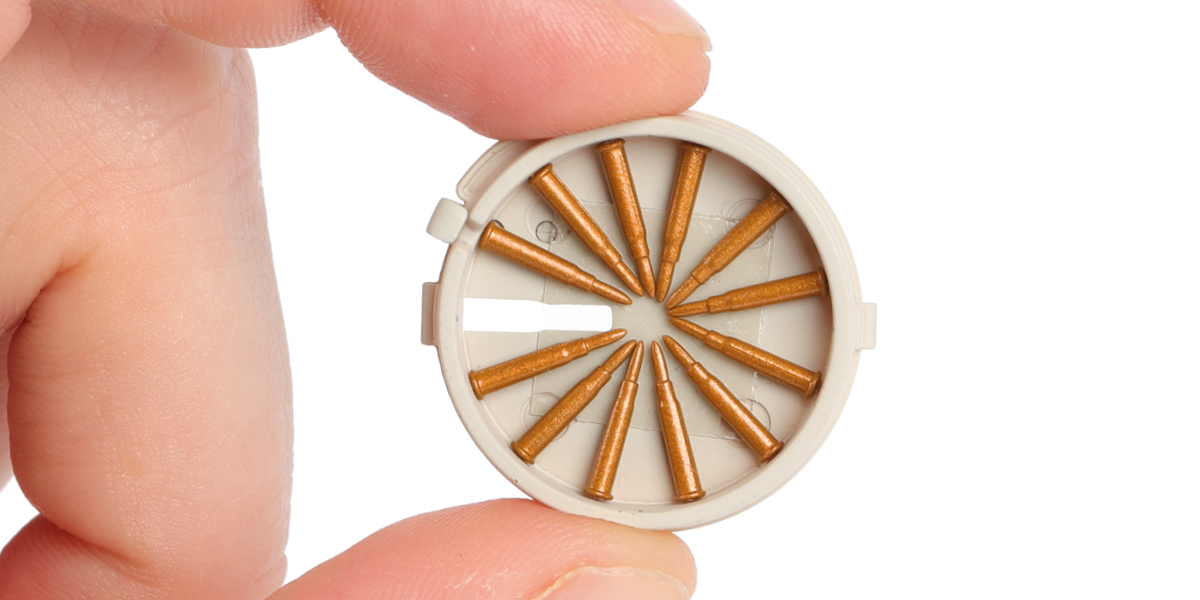
Place the 12 cartridges on part 63-F, spacing them evenly, as shown.

Step 9
Fit part 63-E to part 63-F. Align the notch as shown.


STAGE COMPLETE
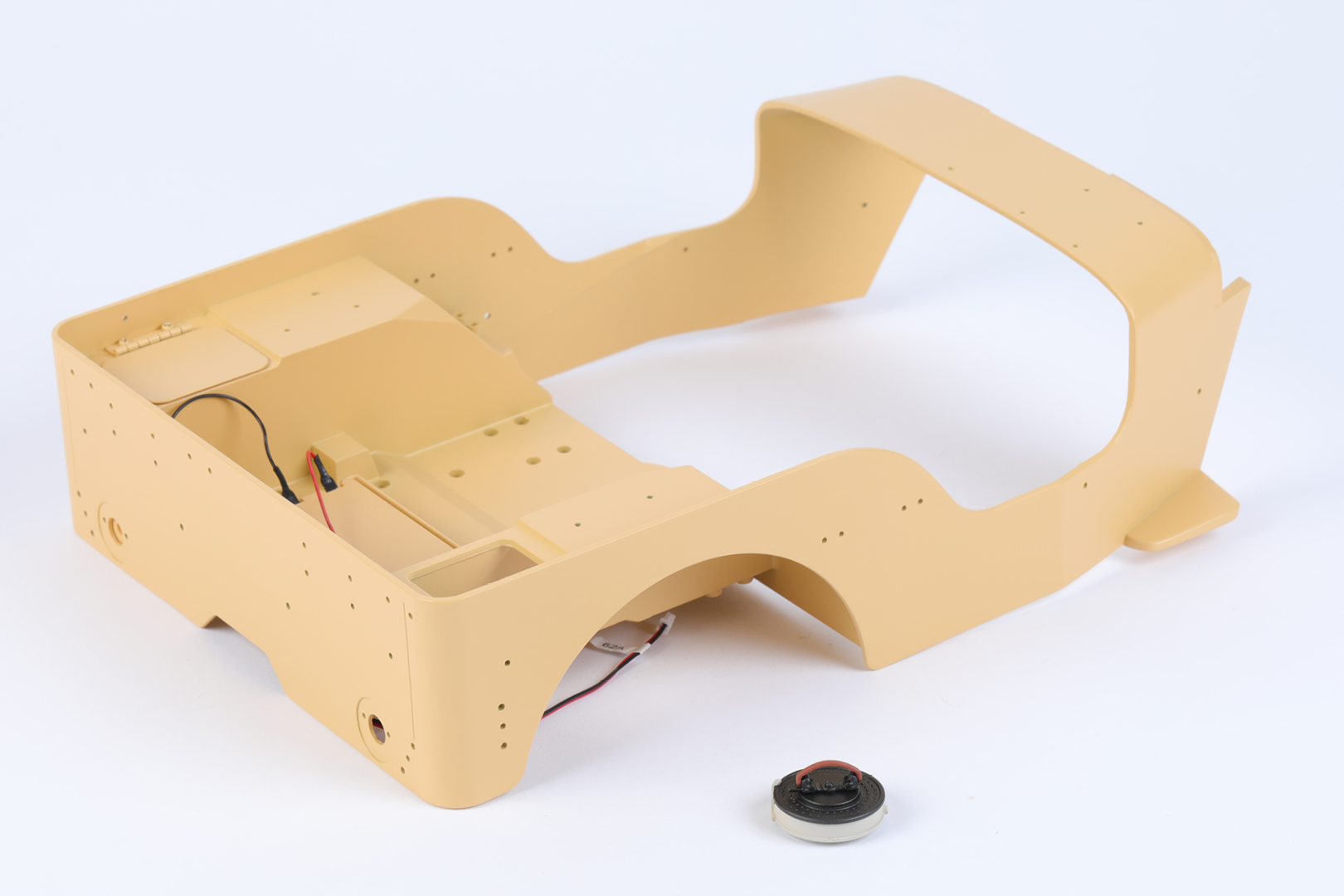
STAGE 64 PARTS

Step 1
Fit part 64-A to part 54-A with 1 BM screw.


Step 2
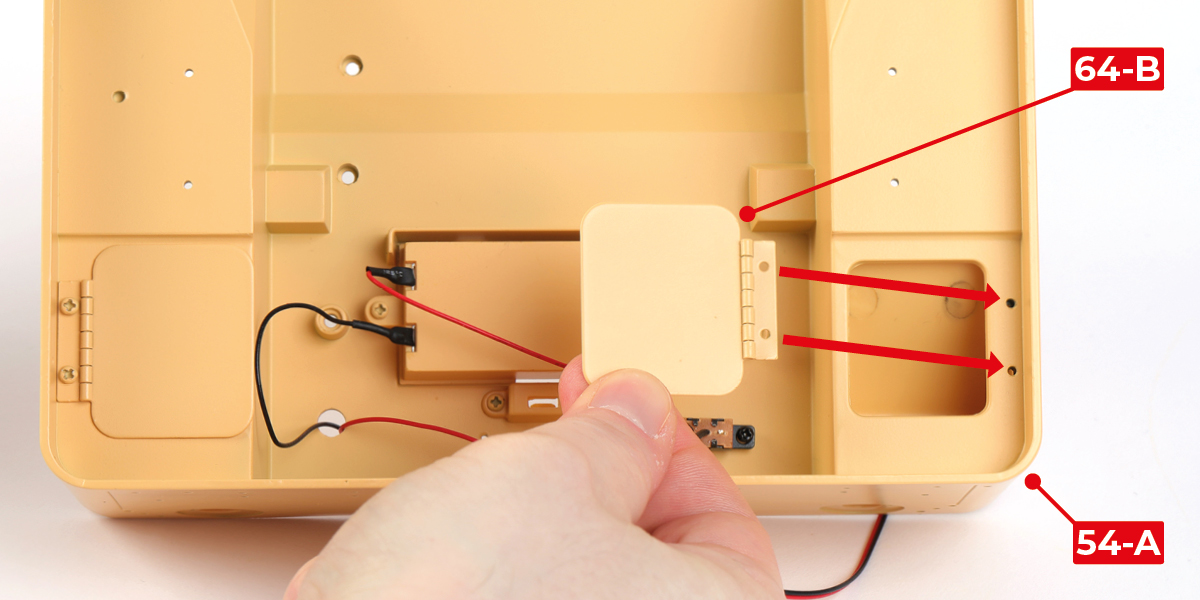
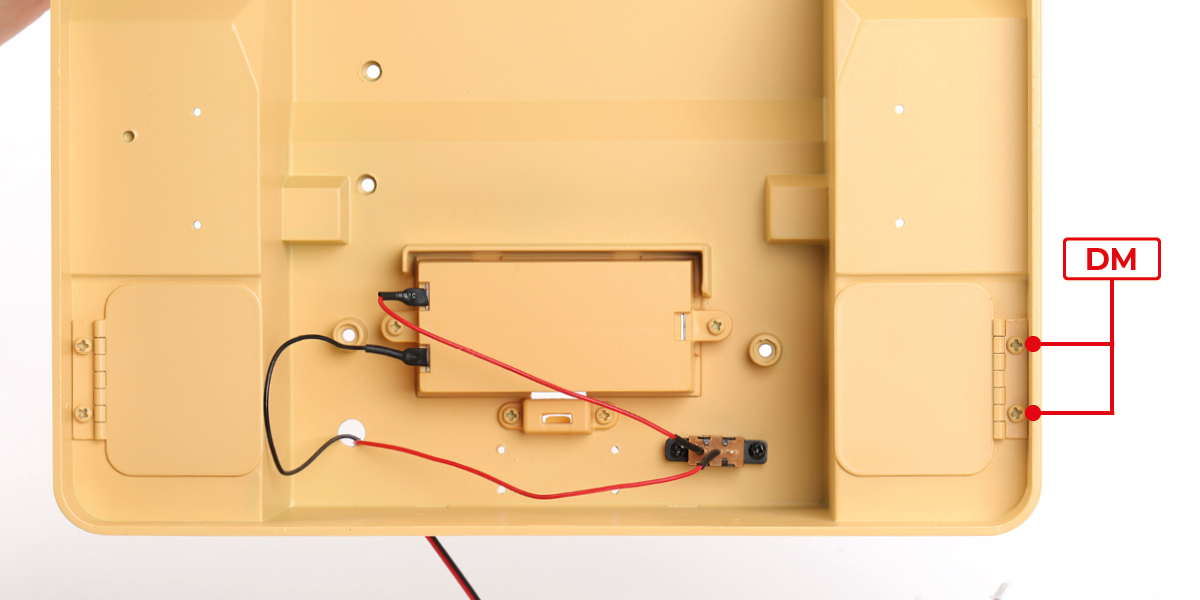
Fit part 64-B to part 54-A with 2 DM screws.
Step 3
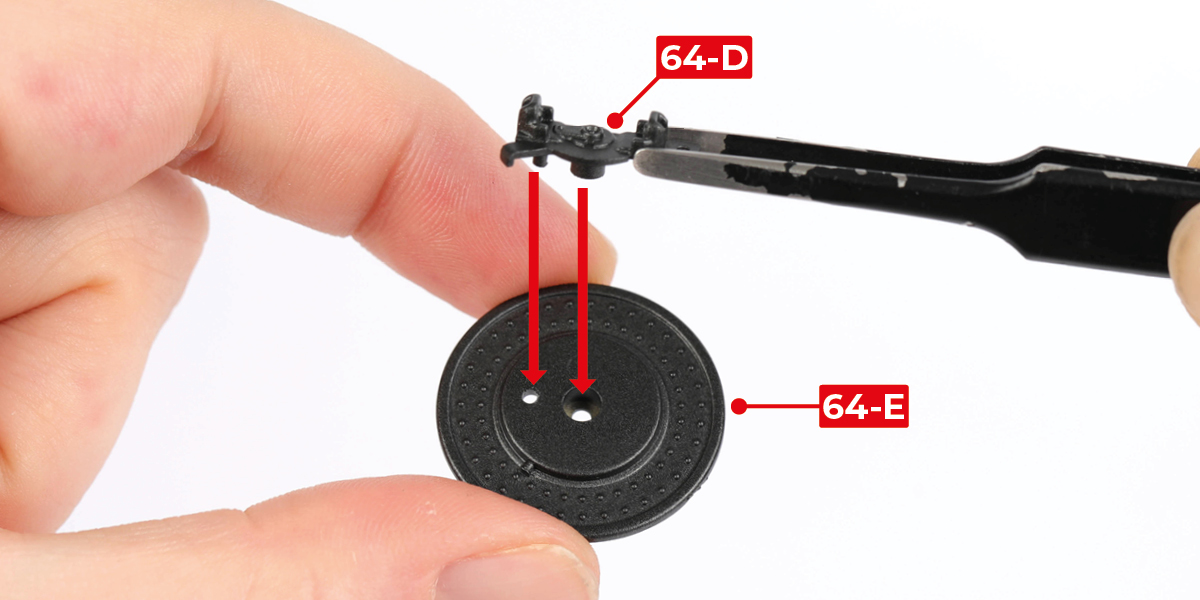
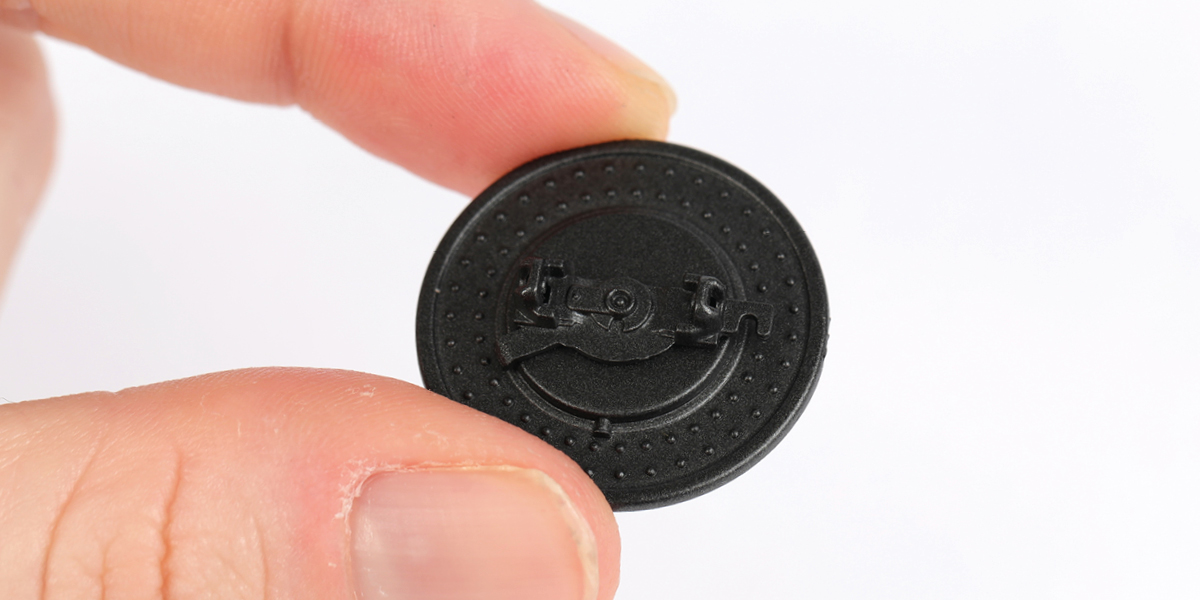
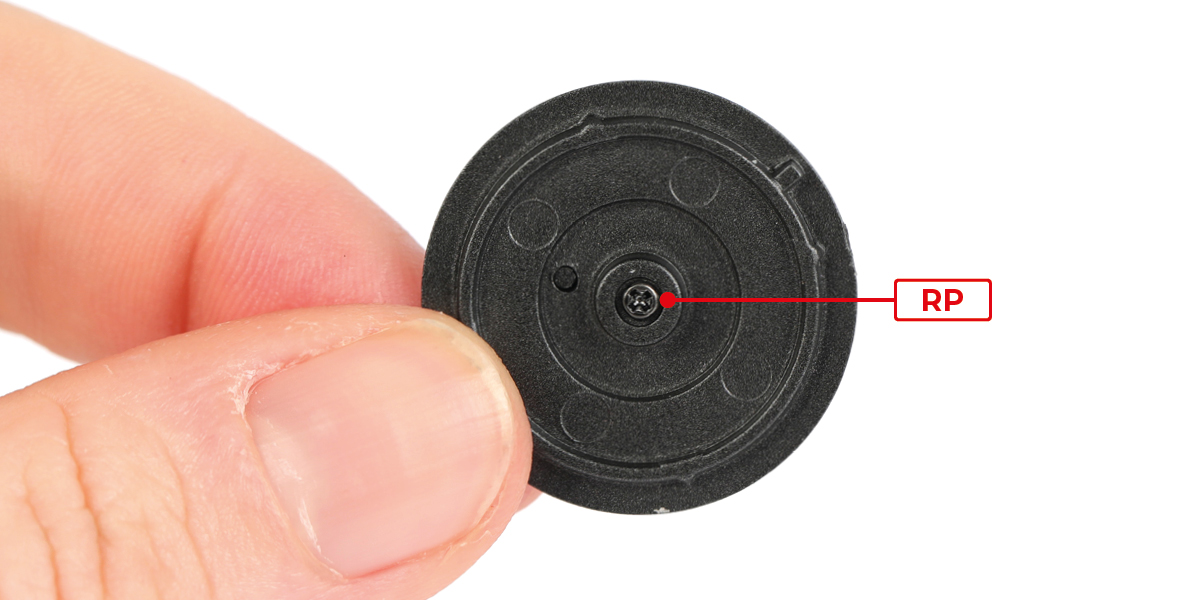
Fit part 64-D to part 64-E with 1 RP screw.
Step 4
Fit part 64-C to part 64-D.


Step 5
Fit part 64-G to part 64-F.


Step 6
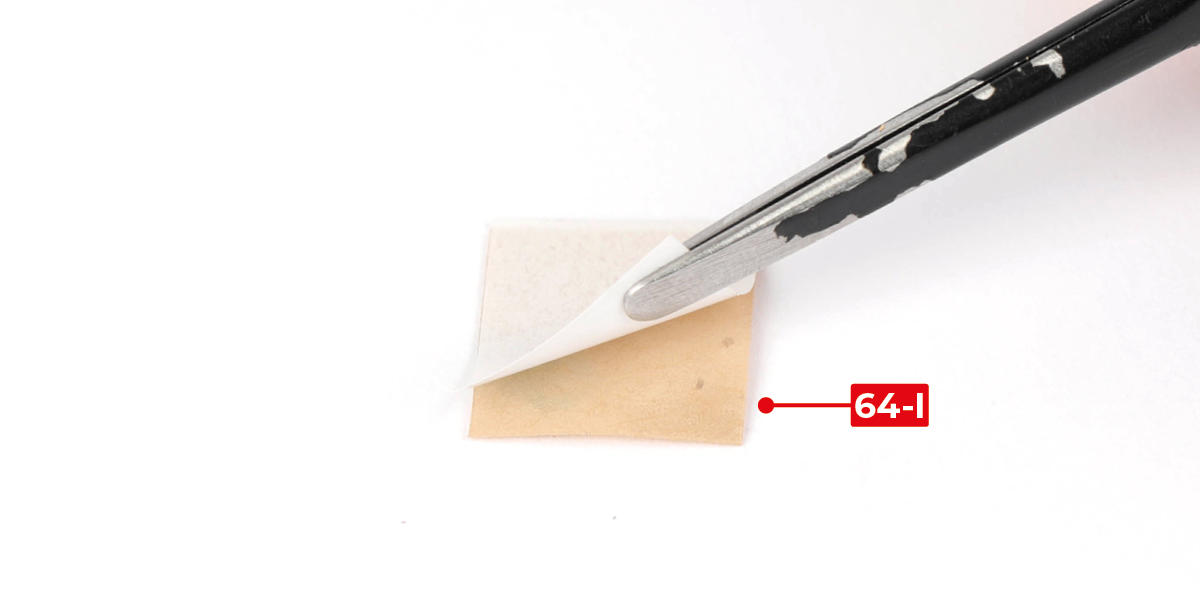
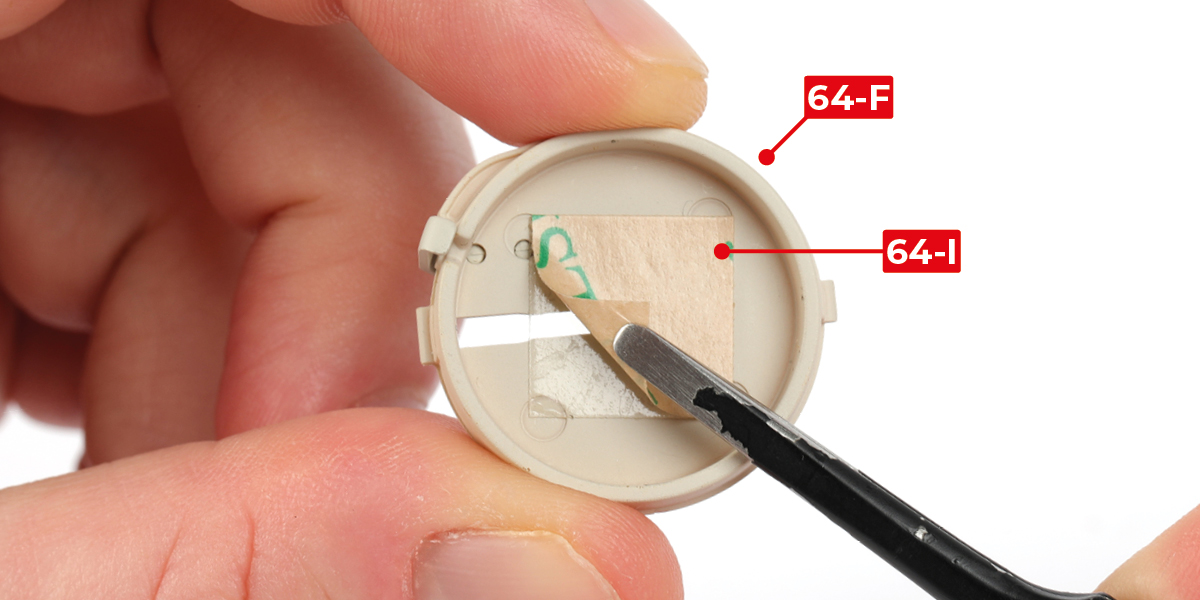
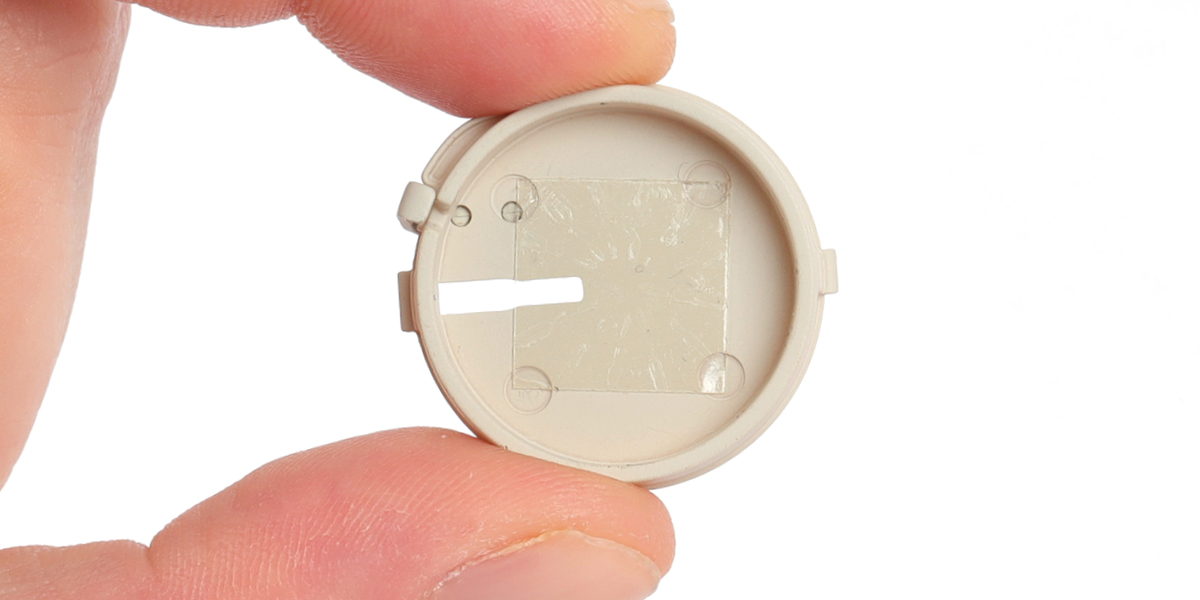
Peel the backing paper from part 64-I, then stick part 64-I to part 64-F. Remove the protective top layer.
Step 7
Cut 12 cartridges (64-H) from the sprue.

Step 8
Place the 12 cartridges on part 64-F, spacing them evenly, as shown.


Step 9
Fit part 64-E to part 64-F. Align the notch as shown.


STAGE COMPLETE
STAGE 65 PARTS

Step 1
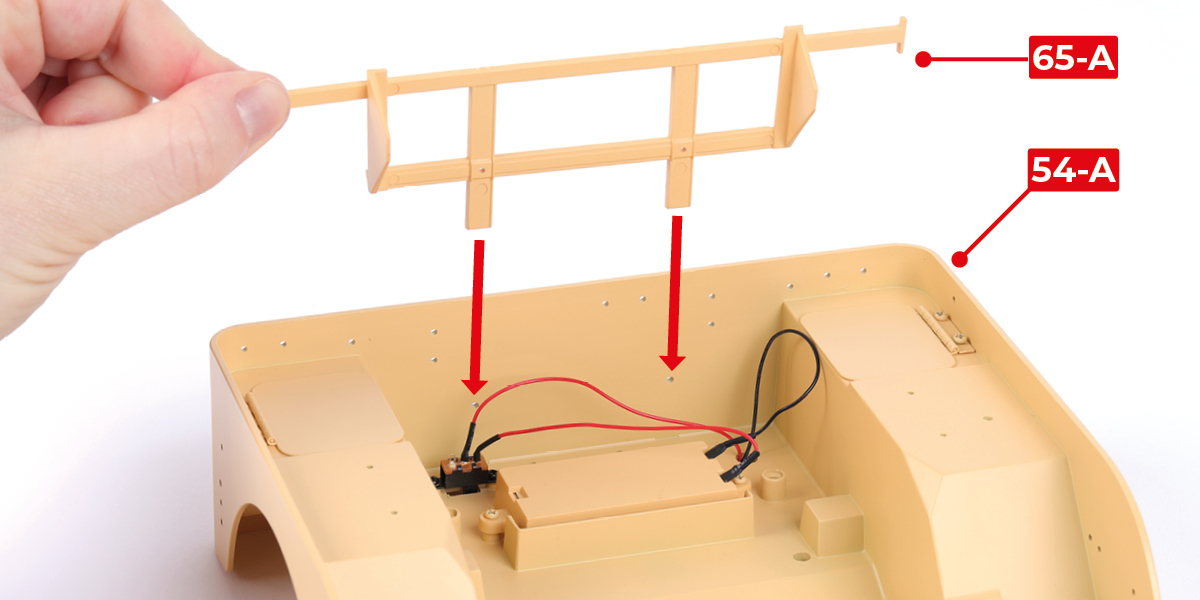
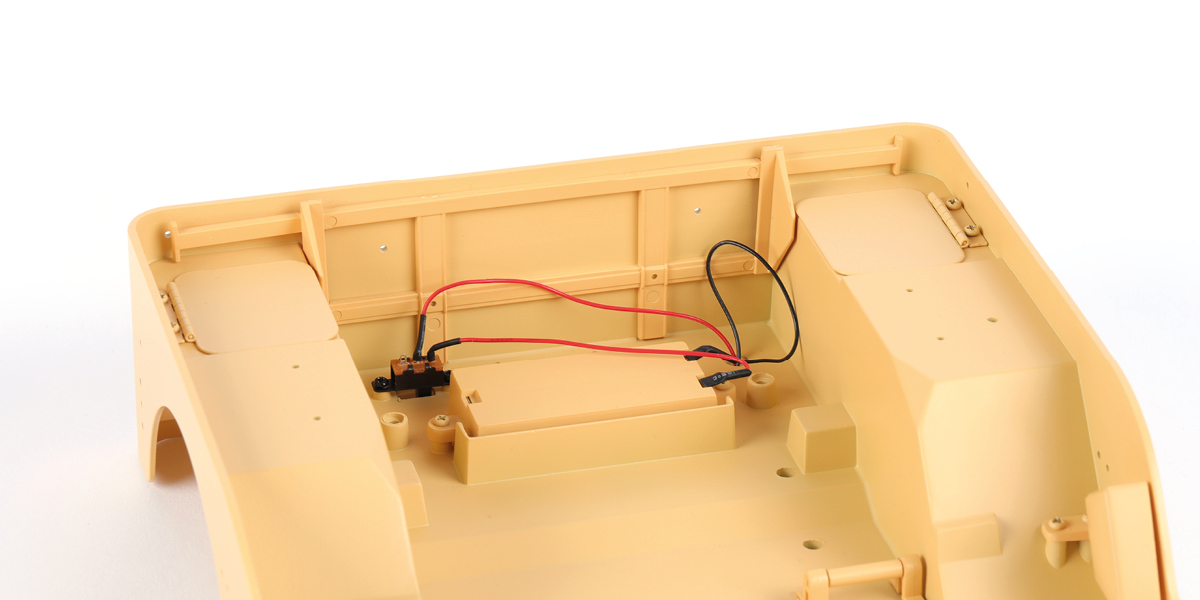
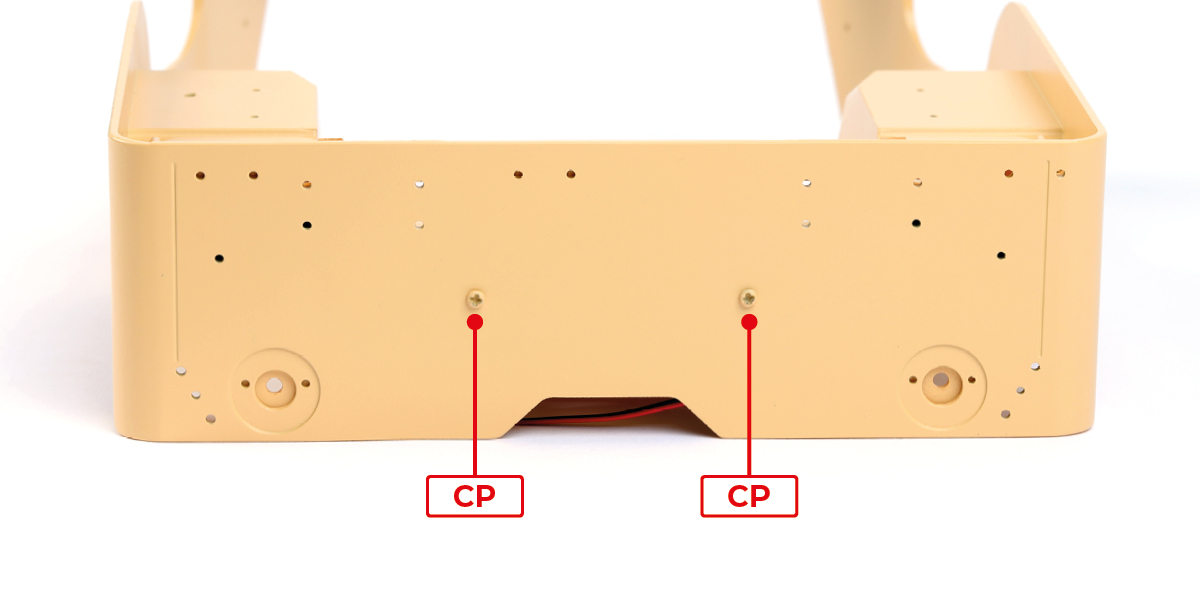
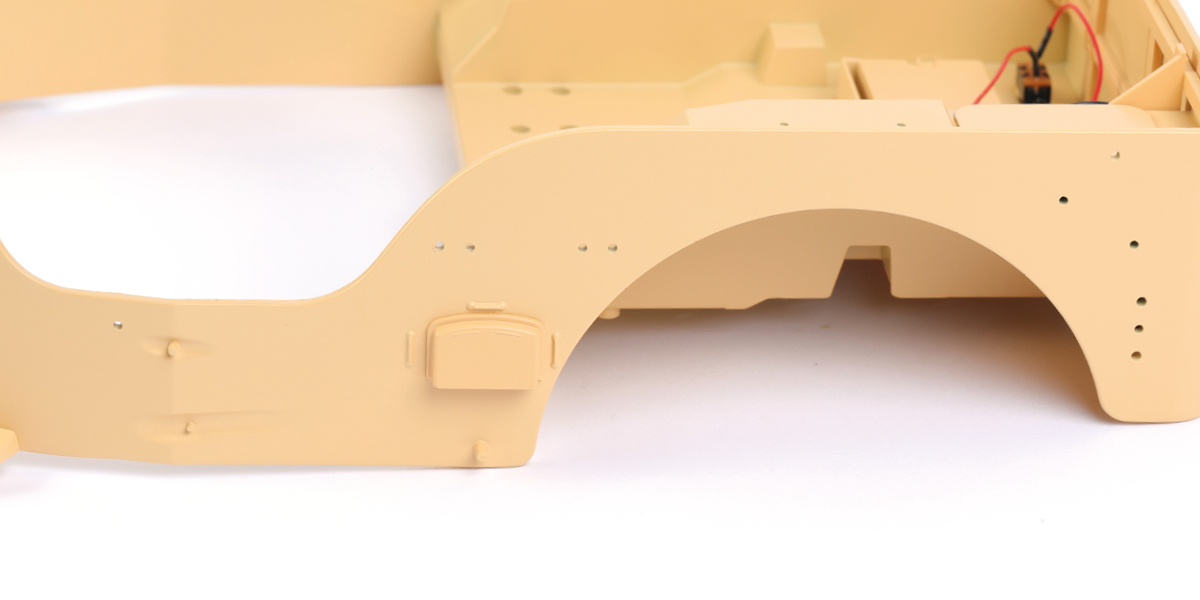
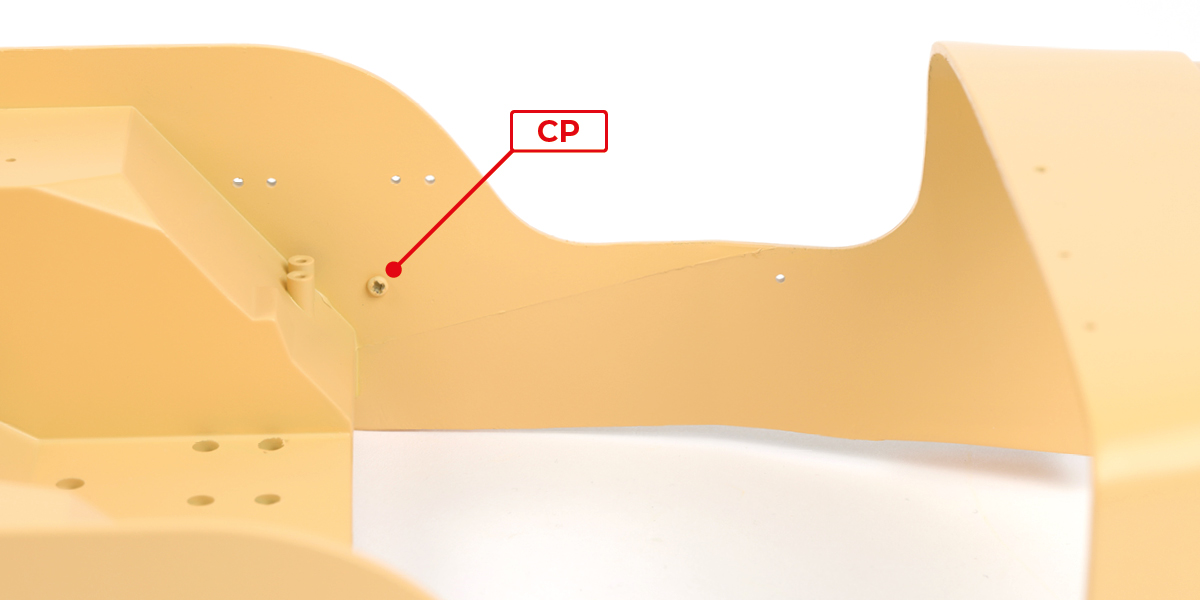
Fit part 65-A to part 54-A with 2 CP screws.
Step 2
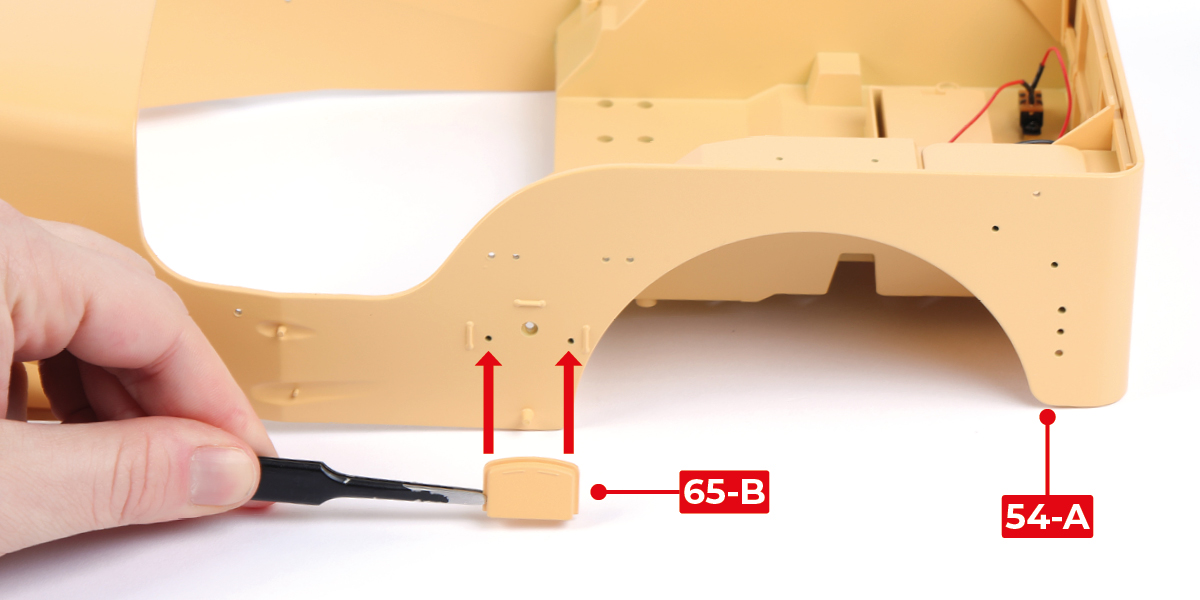
Fit part 65-B to part 54-A with 1 CP screw.
Step 3
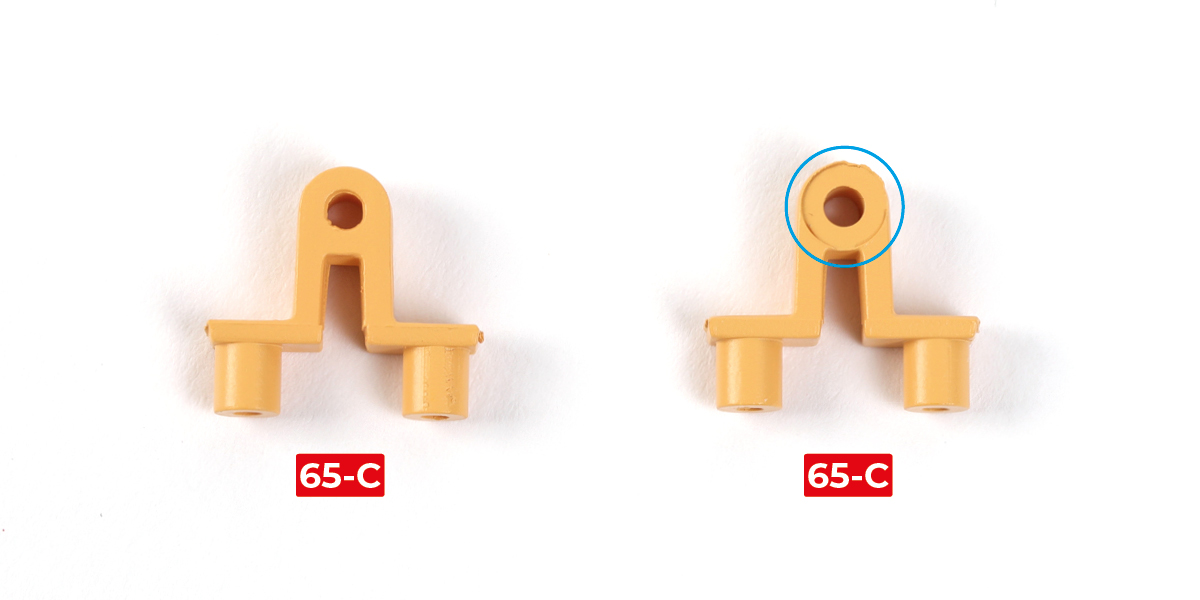
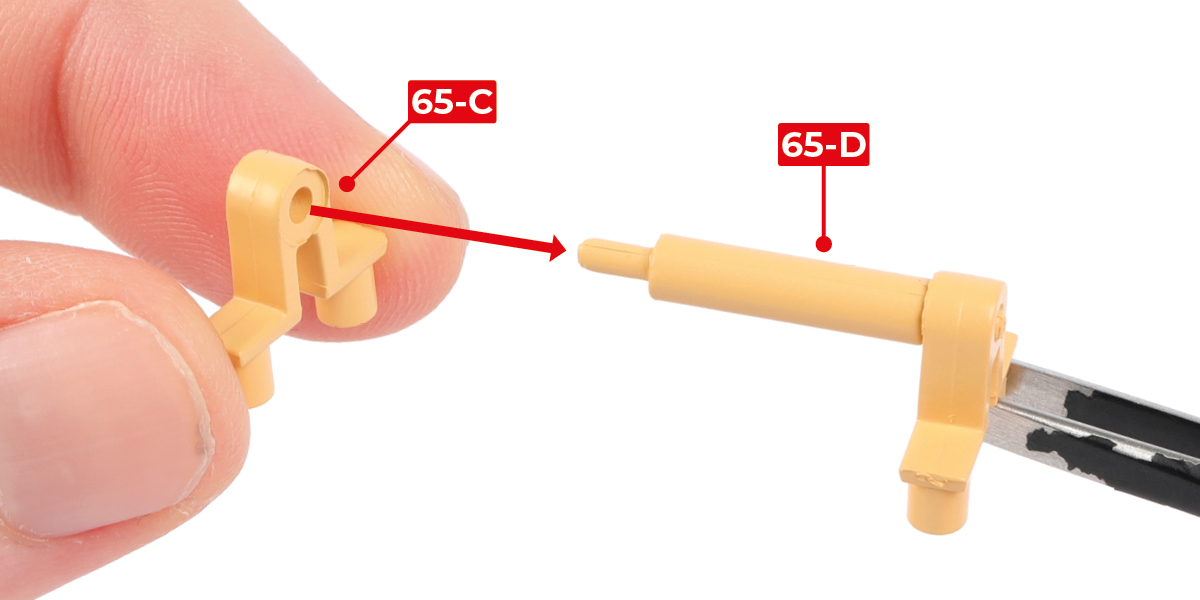
Identify the side of parts 65-C circled in the image.
Step 4
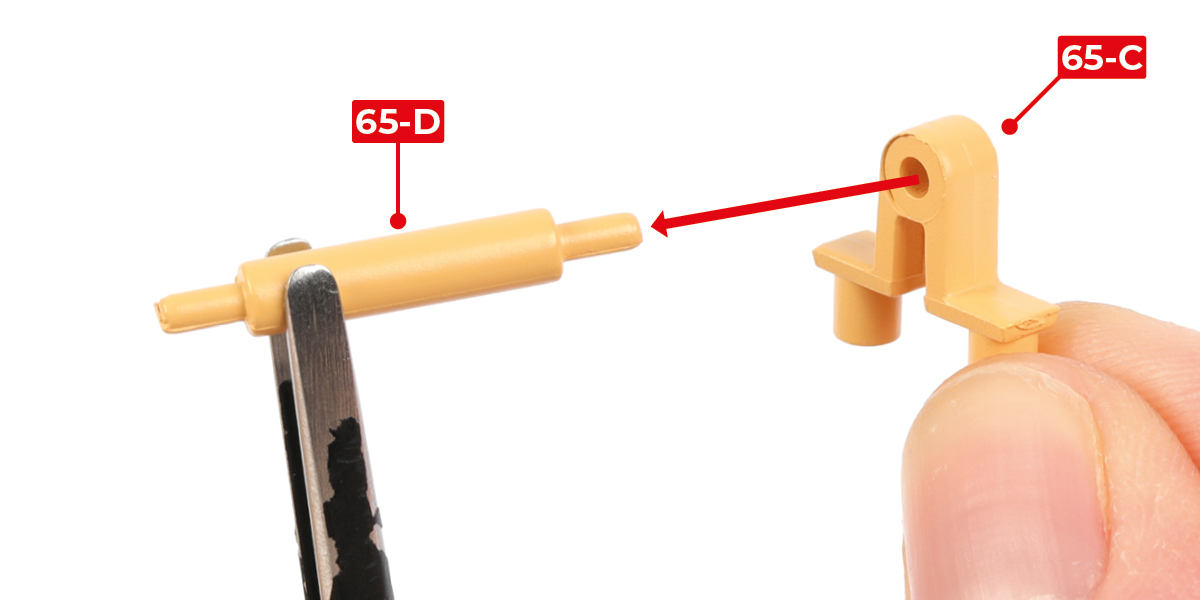
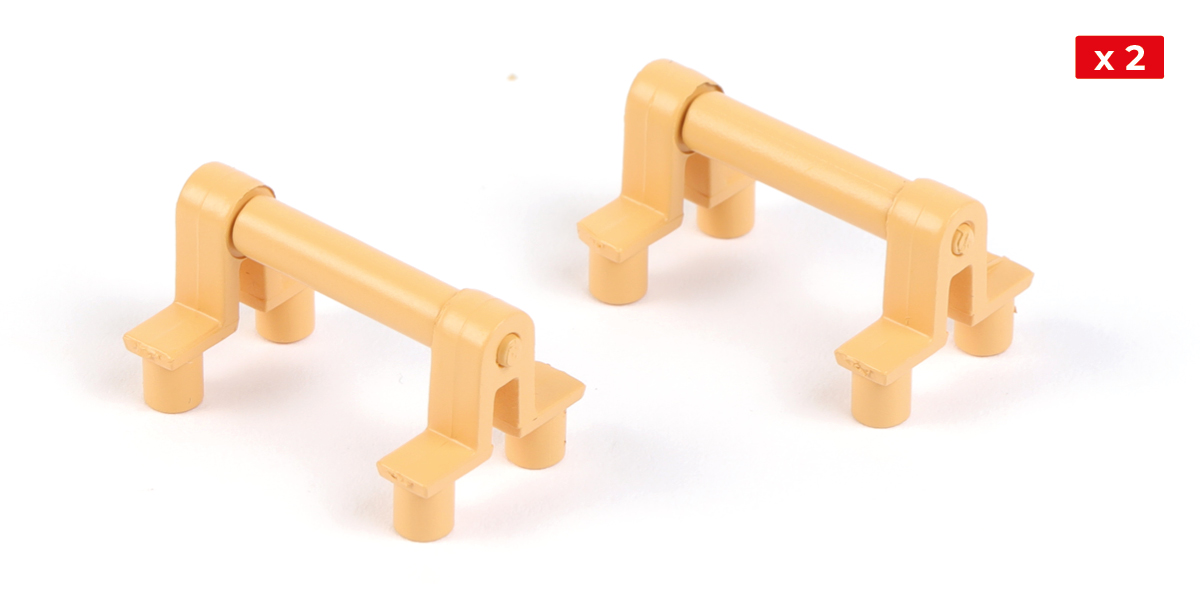
Fit parts 65-C onto part 65-D in the orientation shown. Repeat the process for the second footrest.
Step 5
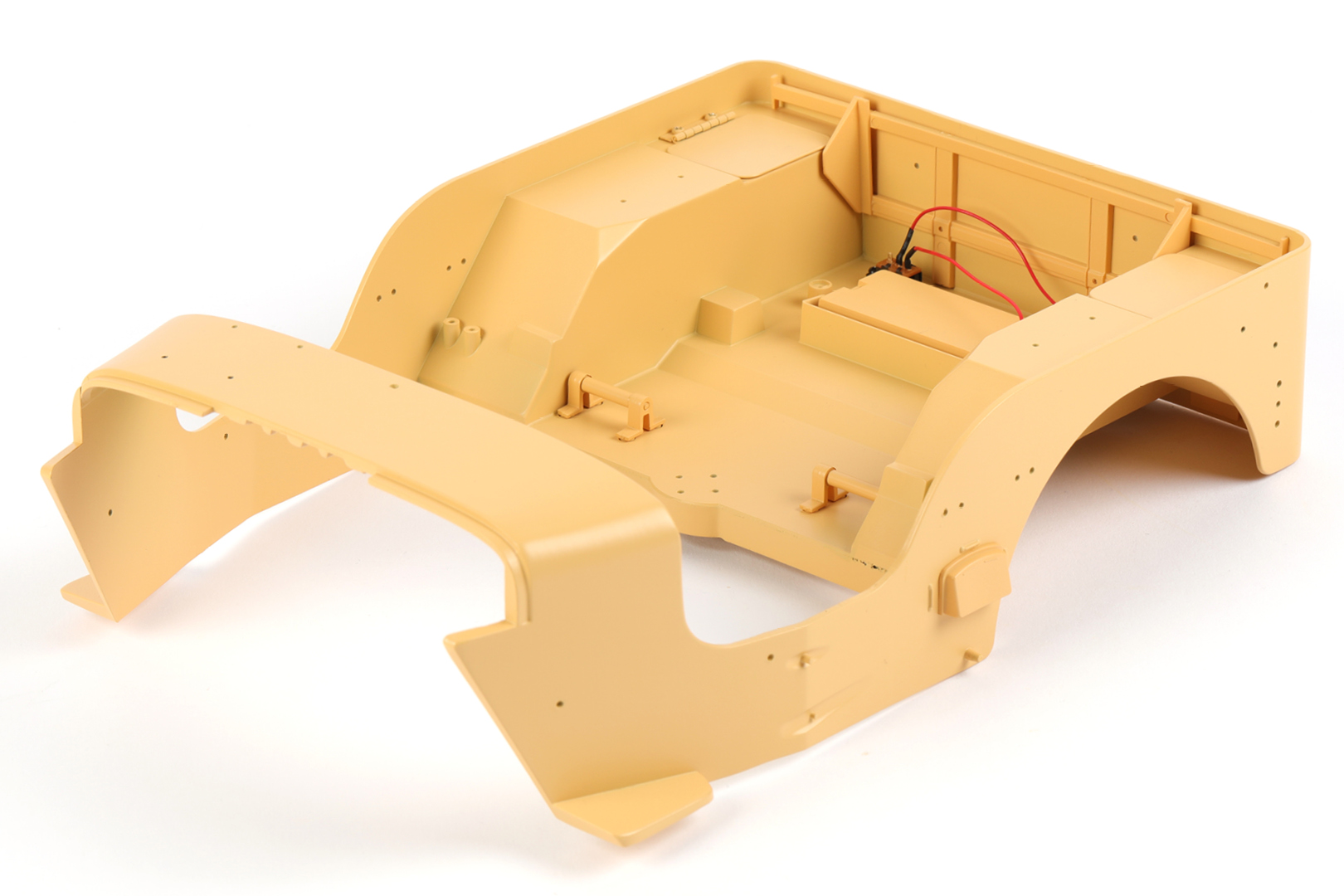
Fit the two footrests to part 54-A with 8 CP screws.


STAGE COMPLETE
STAGE 66 PARTS

Step 1
Cut 105 cartridges from sprues 66-B, 49-C, 50-B, 51-B, 58-E, 63-H, and 64-H.

Step 2
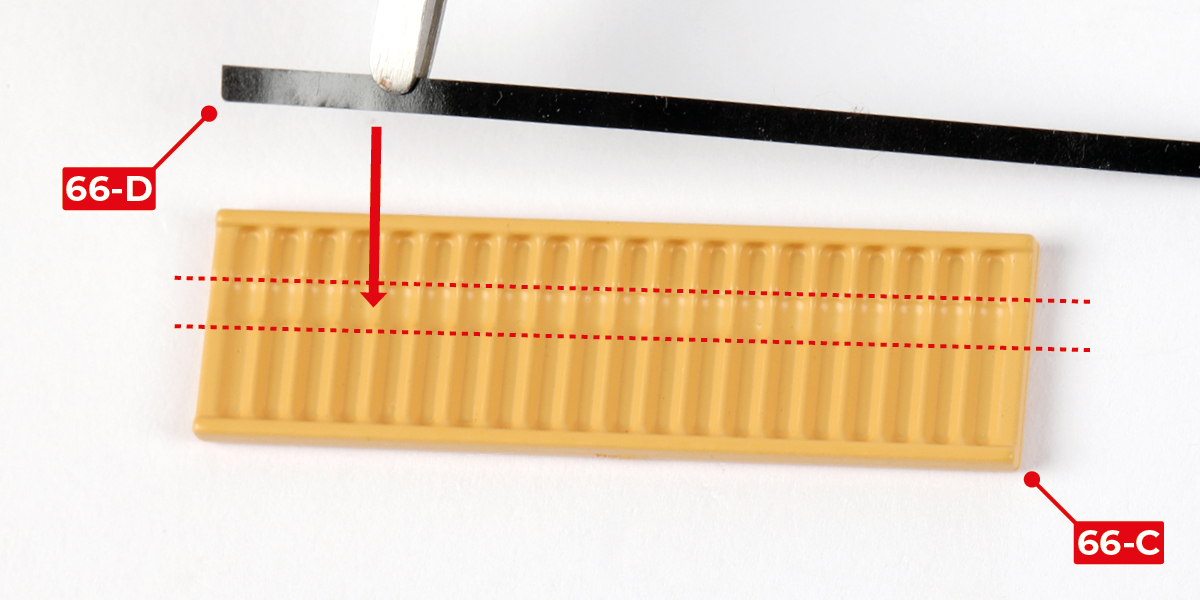
Peel one strip (66-D) from the backing paper.

Step 3
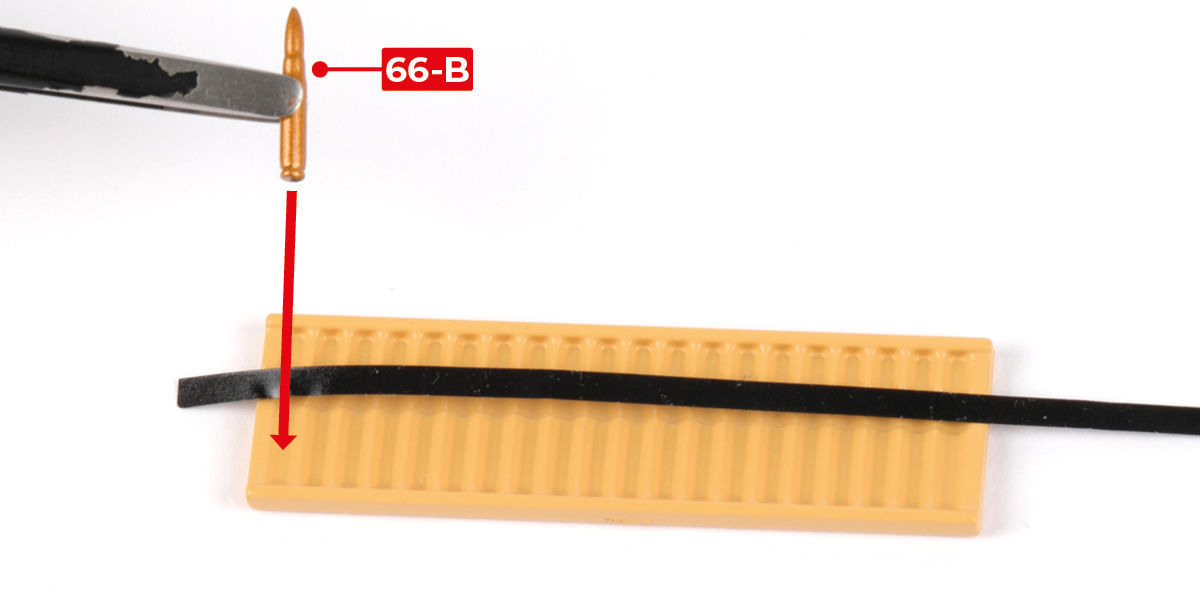
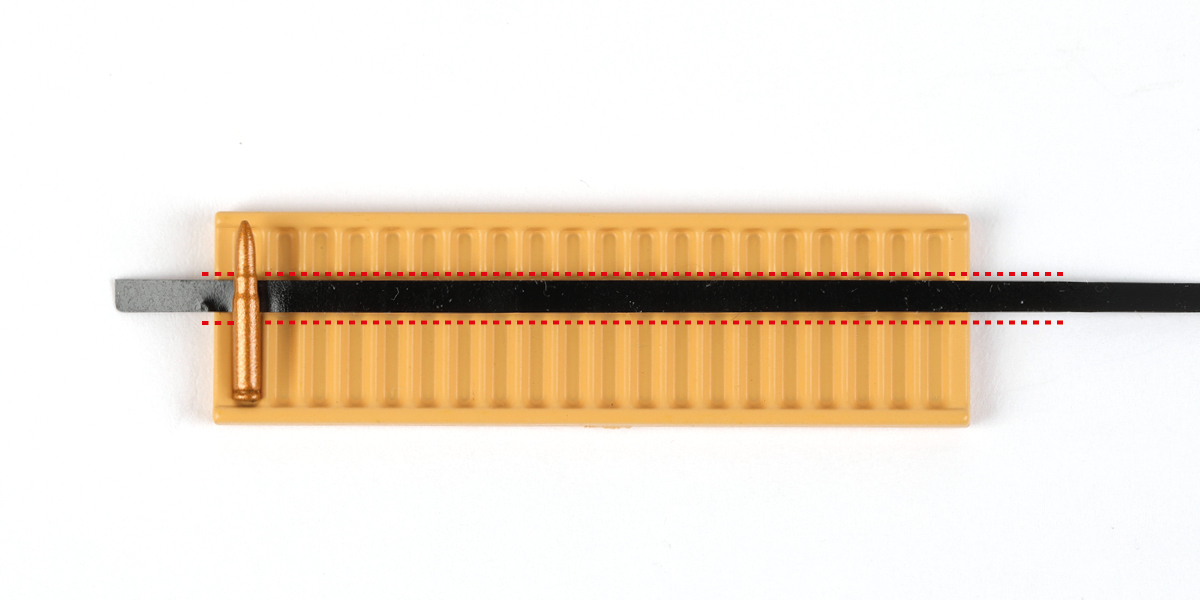
Position strip 66-D in the groove on part 66-C, as indicated by the dashed red lines. Stick one cartridge onto the strip, aligning it with the first recess.
Step 4
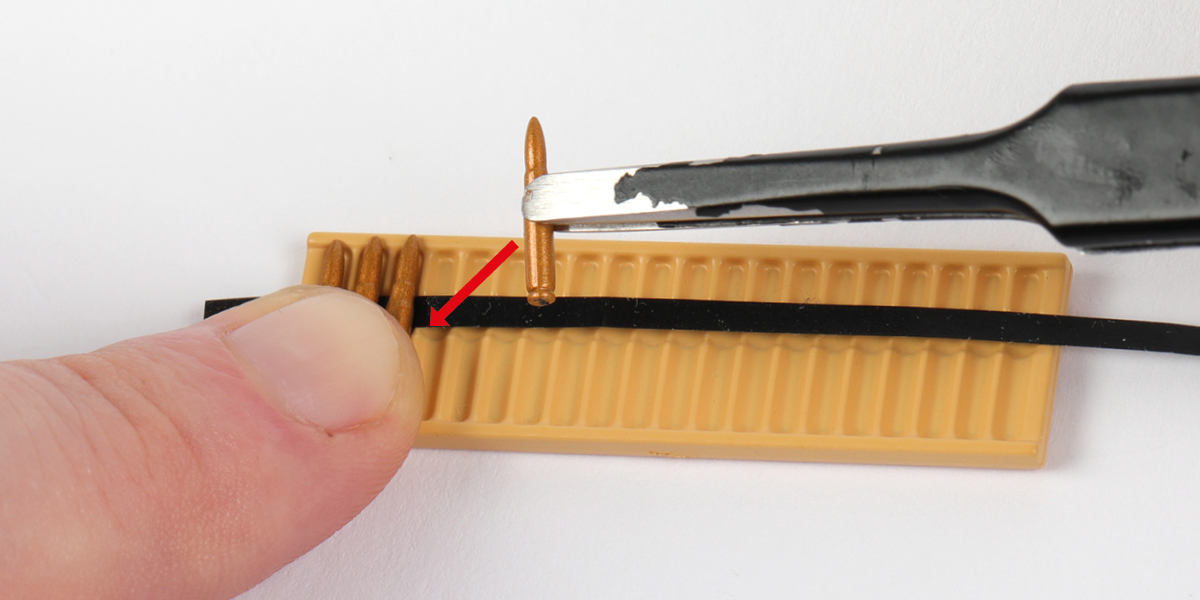
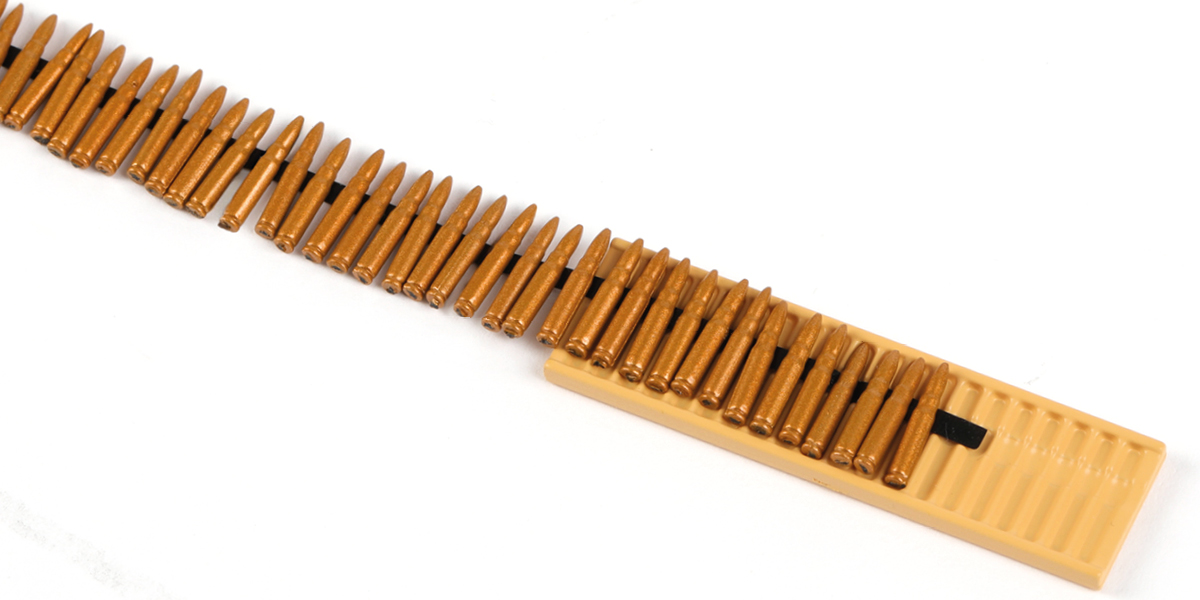
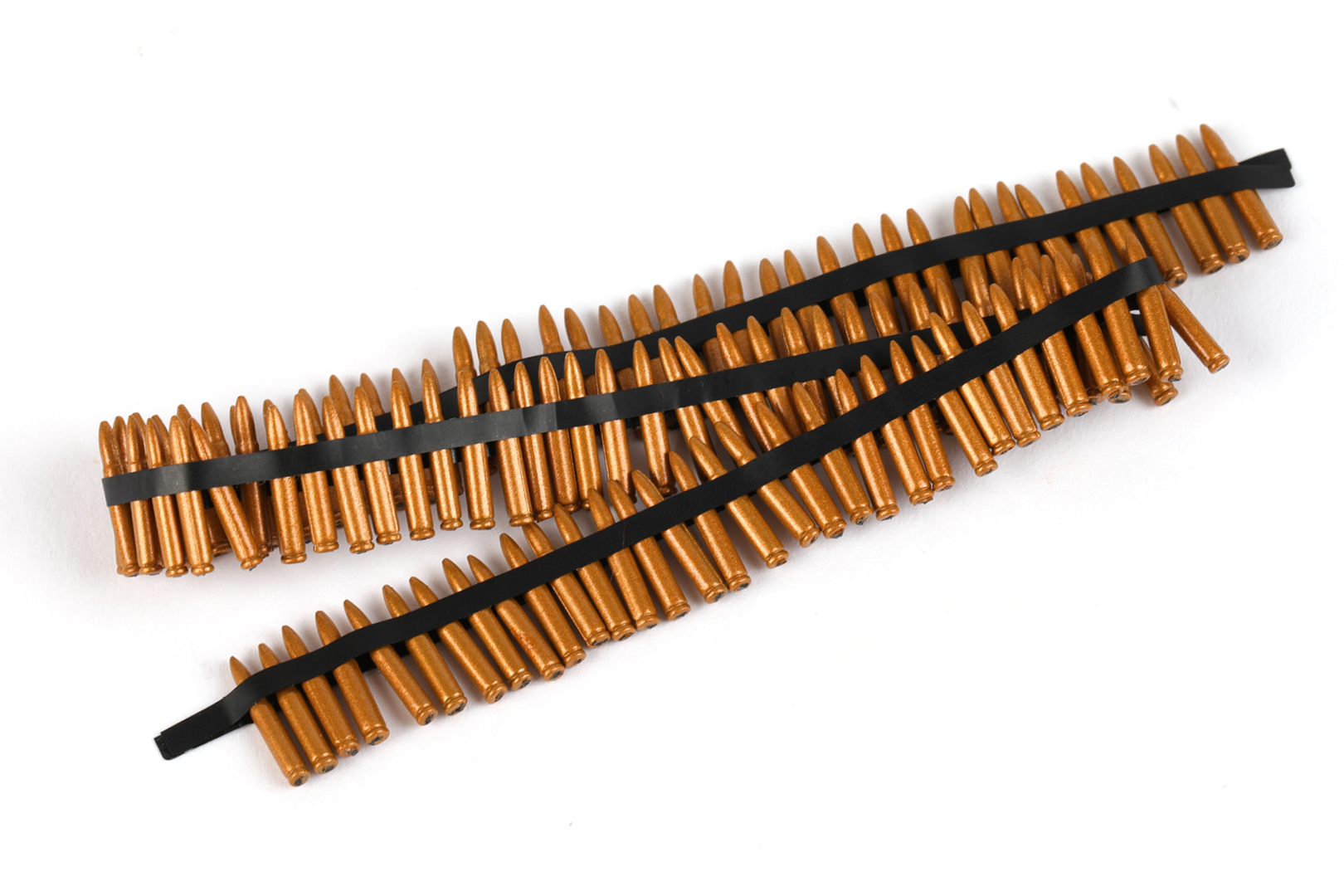
Continue sticking cartridges onto the strip, aligning them with the recesses as shown. Slide the assembly along as you go until all 105 are in place.

Step 5
Stick the second strip (66-D) onto the cartridges, as shown.
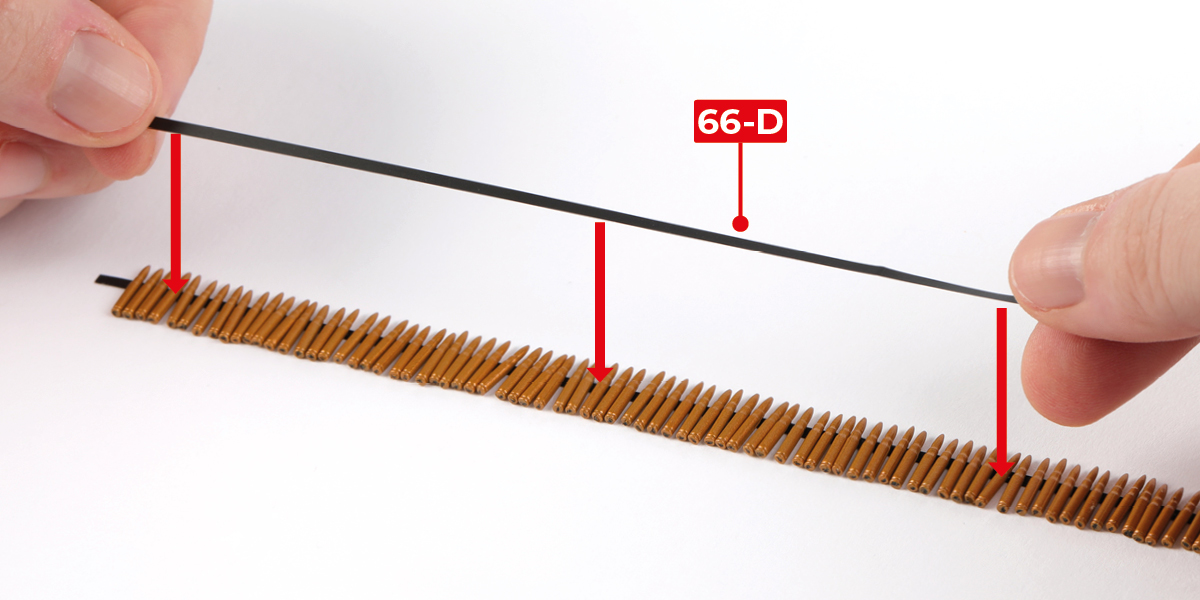

STAGE COMPLETE
STAGE 67 PARTS

Step 1
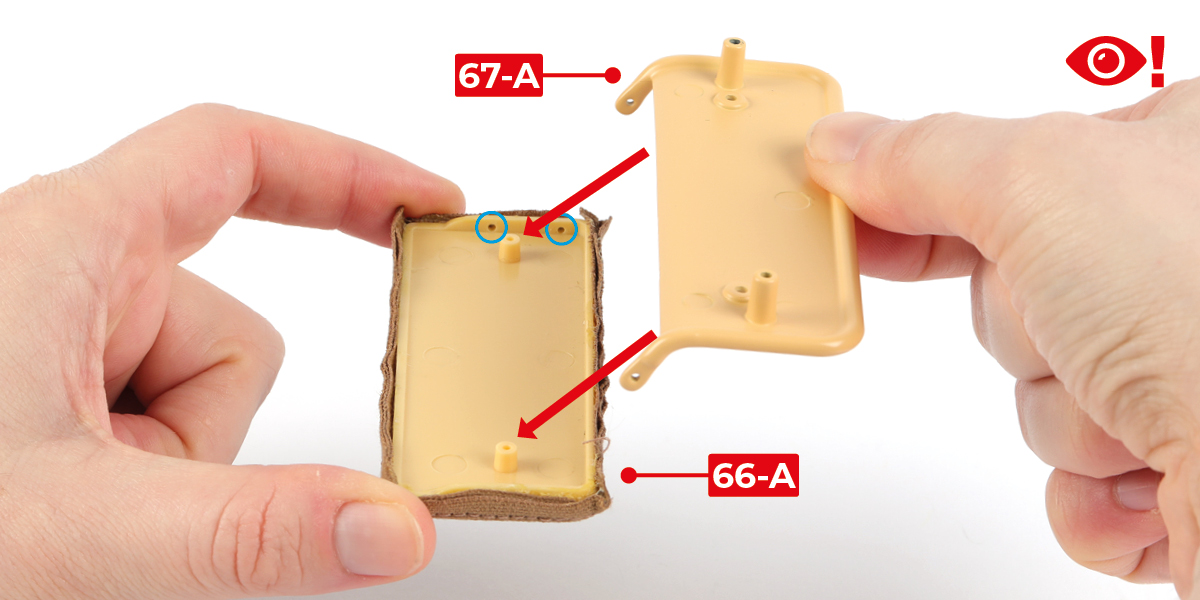
Fit part 67-A to part 66-A with 2 CP screws. Check part 66-A is in the orientation shown by the blue circles.

Step 2
Fit part 67-A to part 54-A with 2 CM screws.


STAGE COMPLETE

STAGE 68 PARTS

Step 1
Fit part 68-A to part 54-A with 2 DM screws.


Step 2
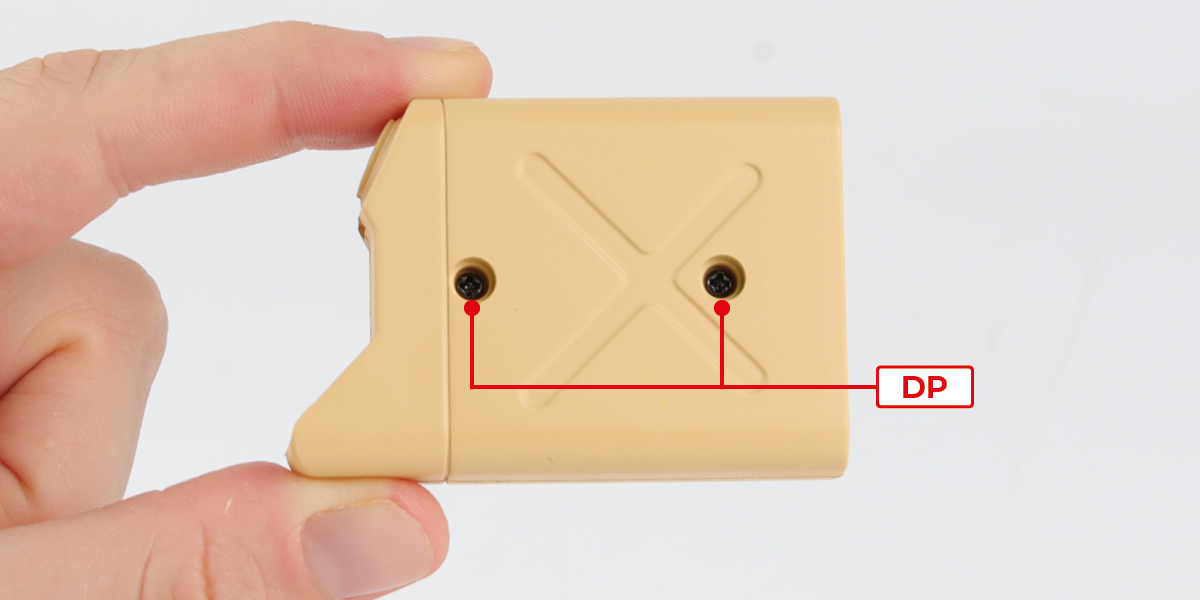
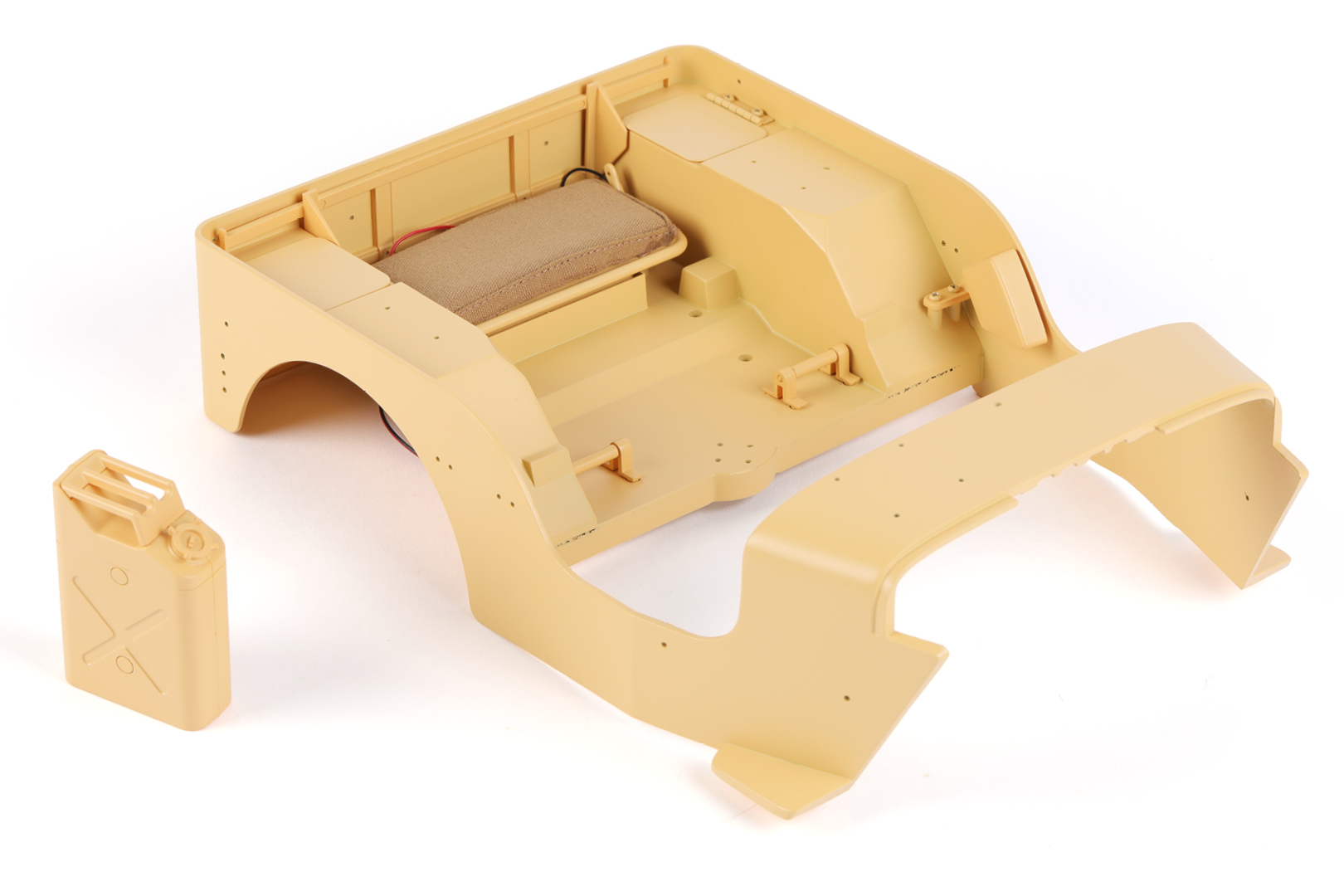
Building a jerry can
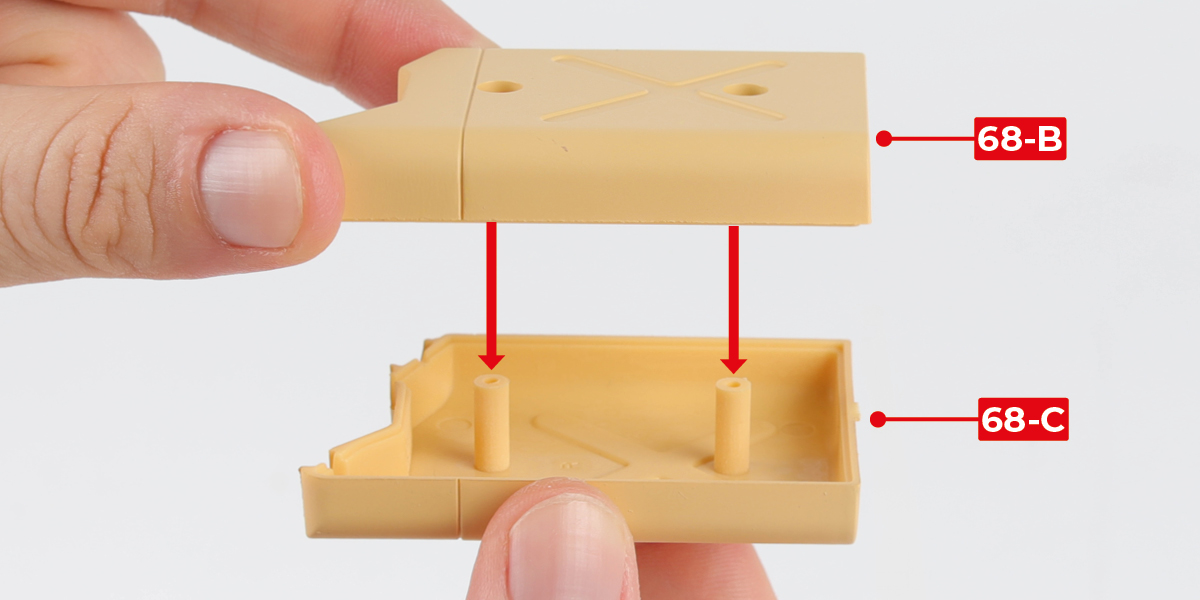
Fit part 68-B to part 68-C with 2 DP screws.
Step 3
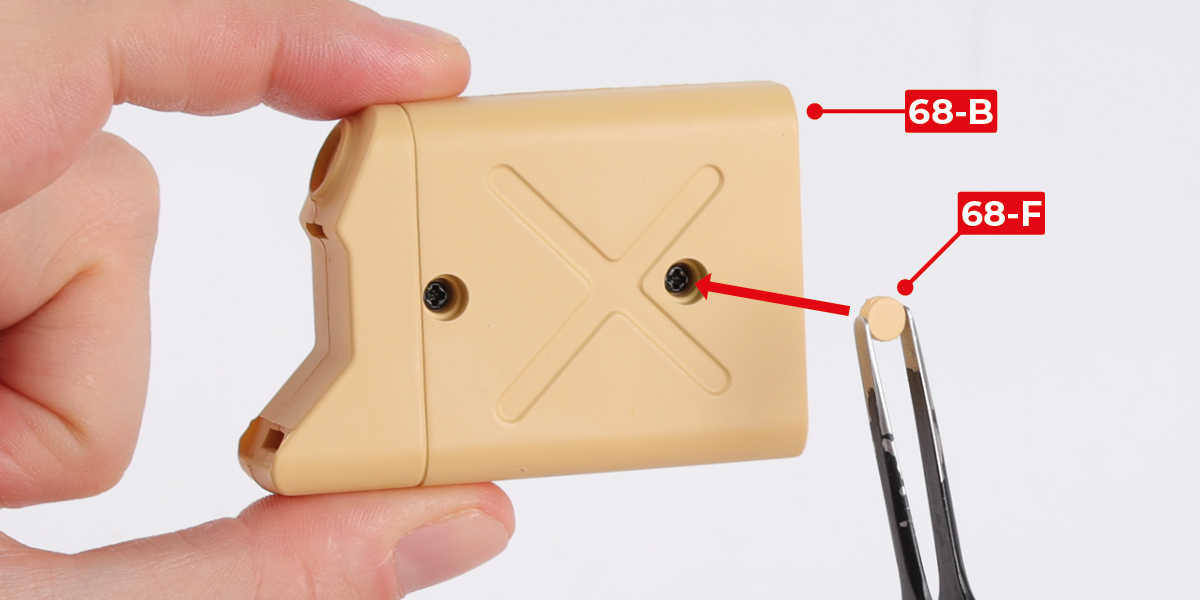
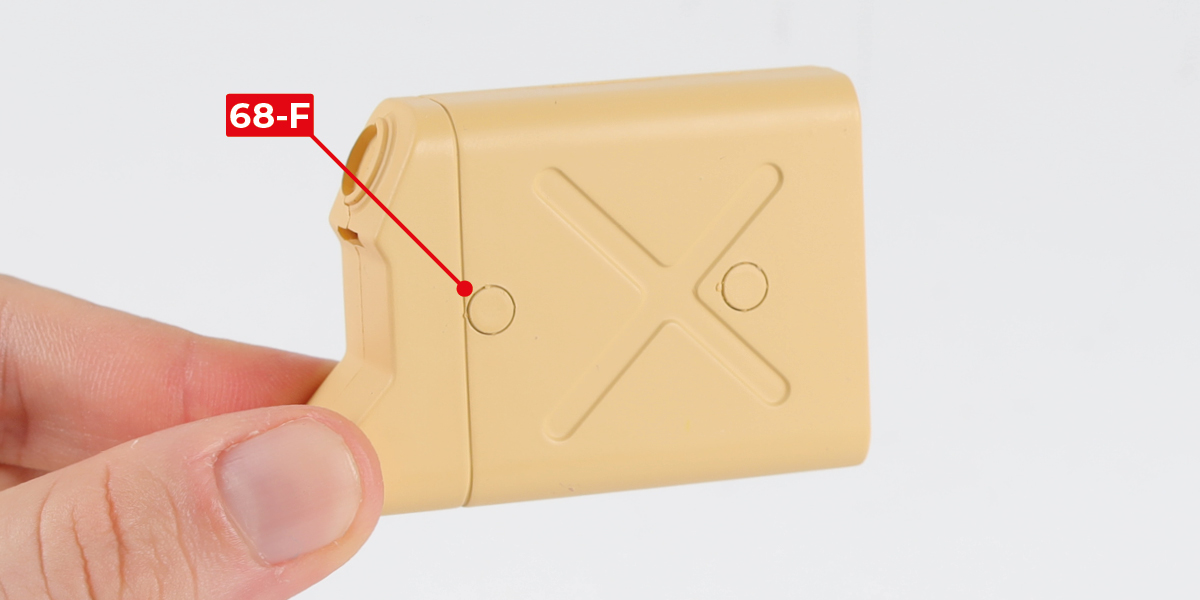
Fit parts 68-F to part 68-B.
Step 4
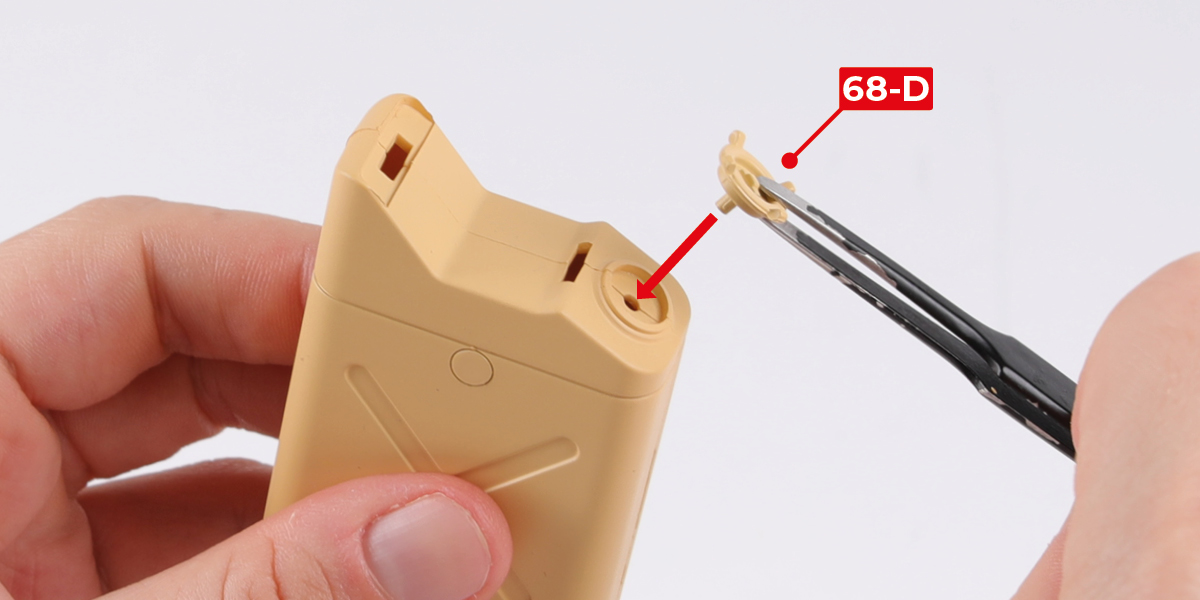
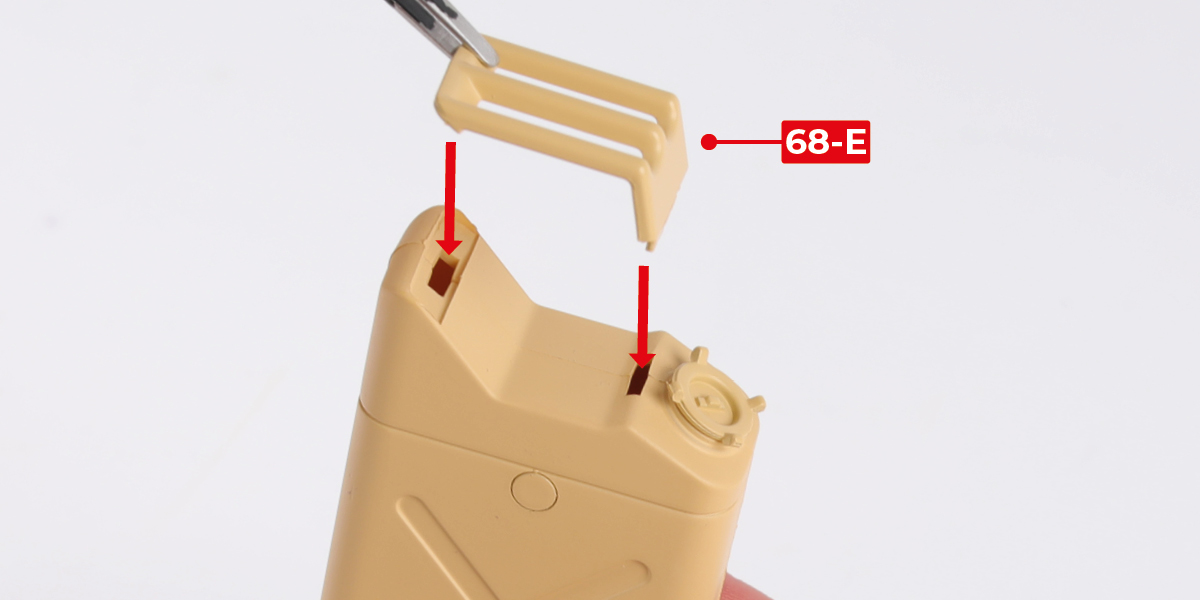
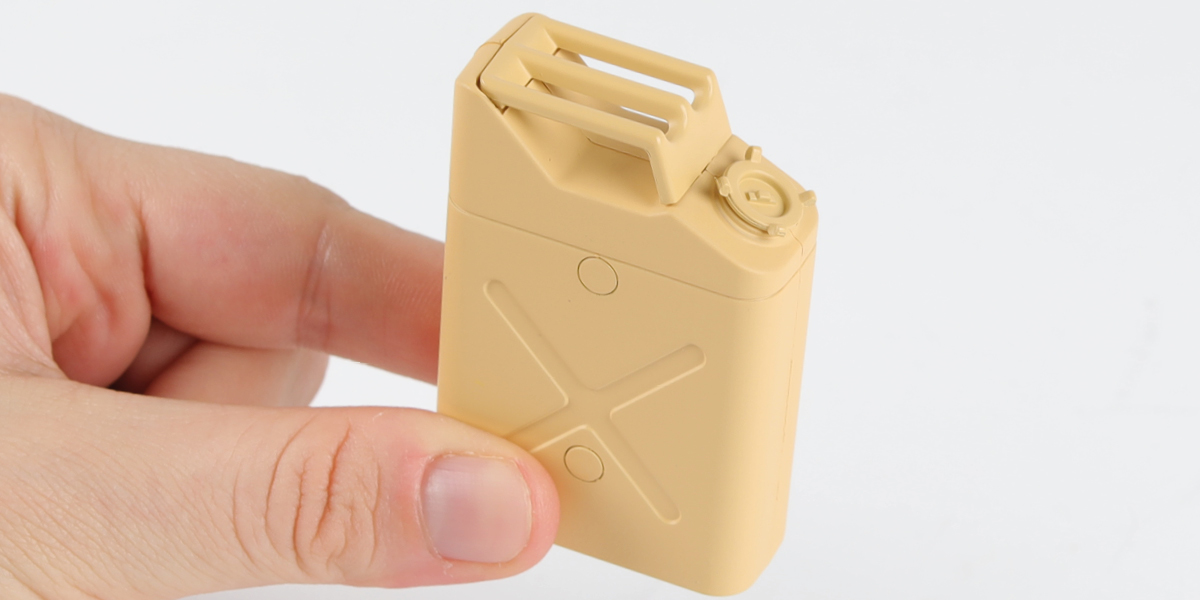
Fit part 68-D and part 68-E to complete the jerry can, as shown.
STAGE COMPLETE
STAGE 69 PARTS

Step 1
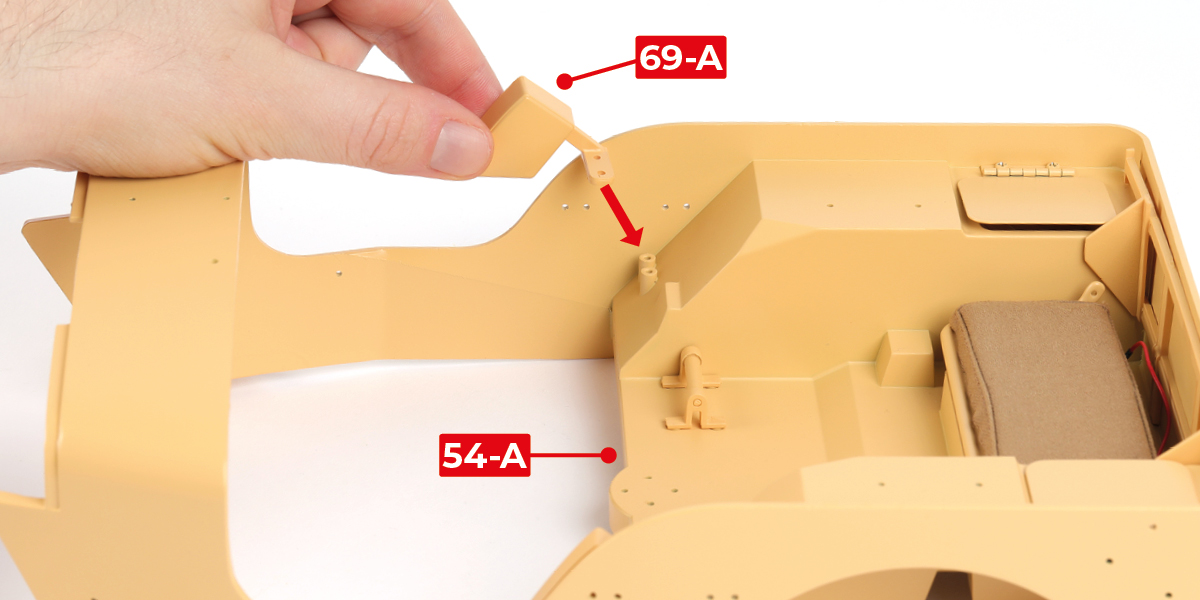
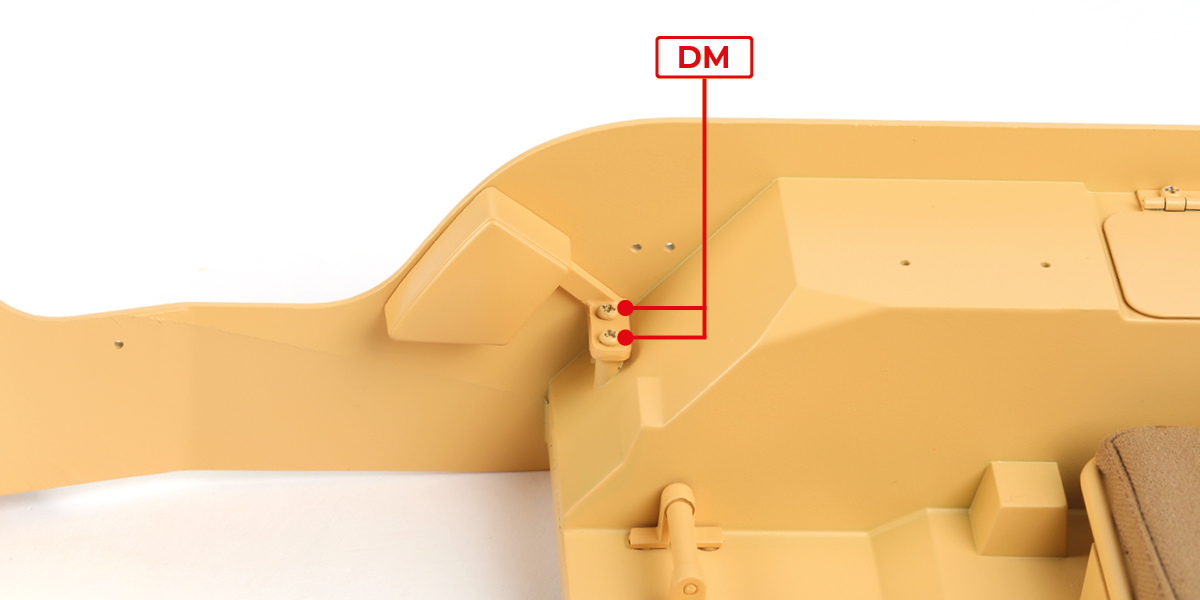
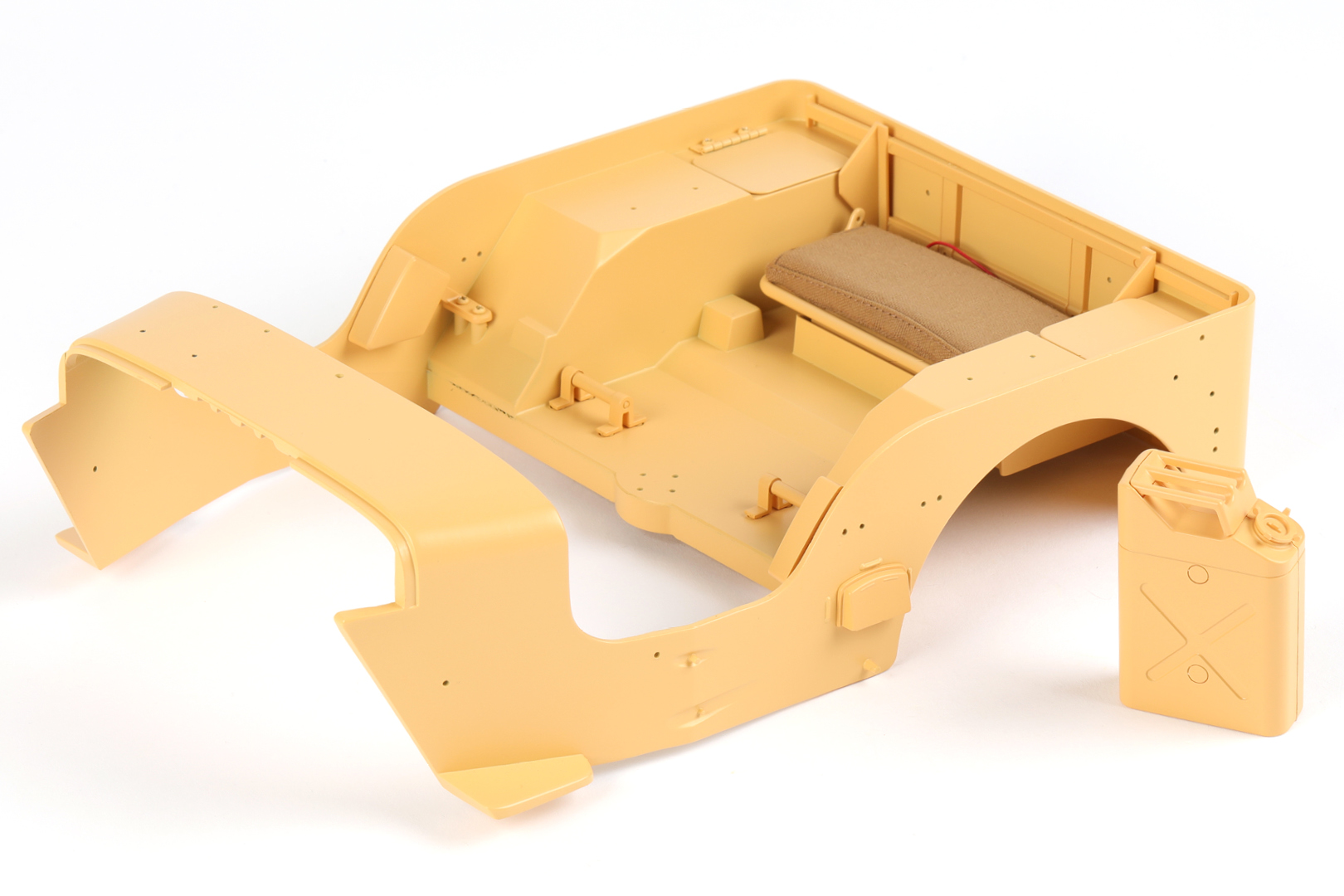
Fit part 69-A to part 54-A with 2 DM screws.
Step 2
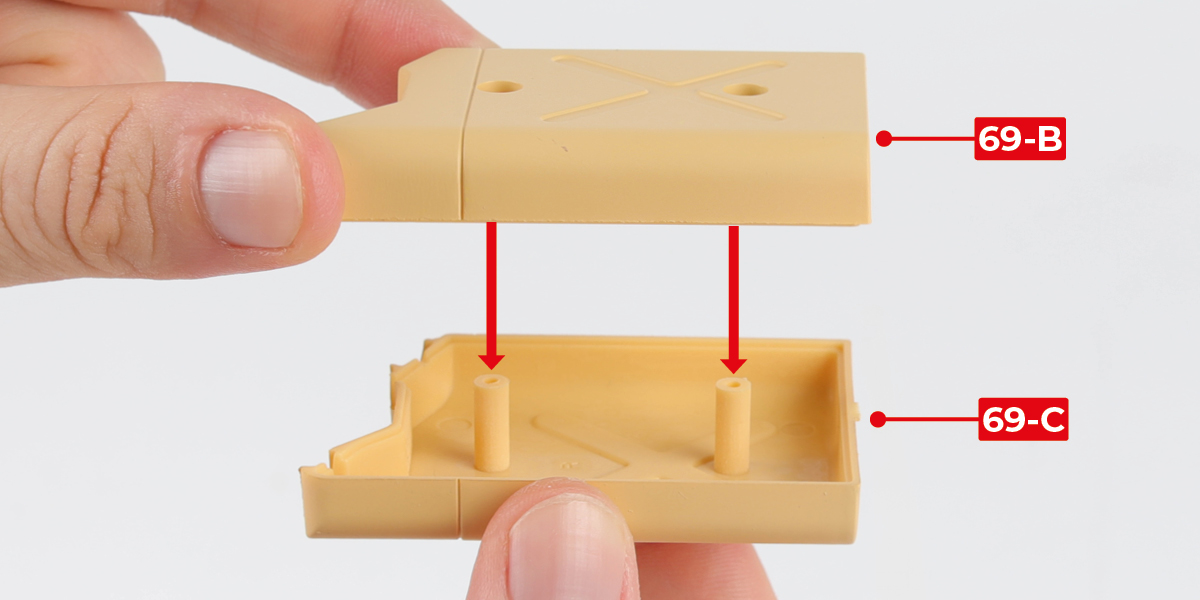
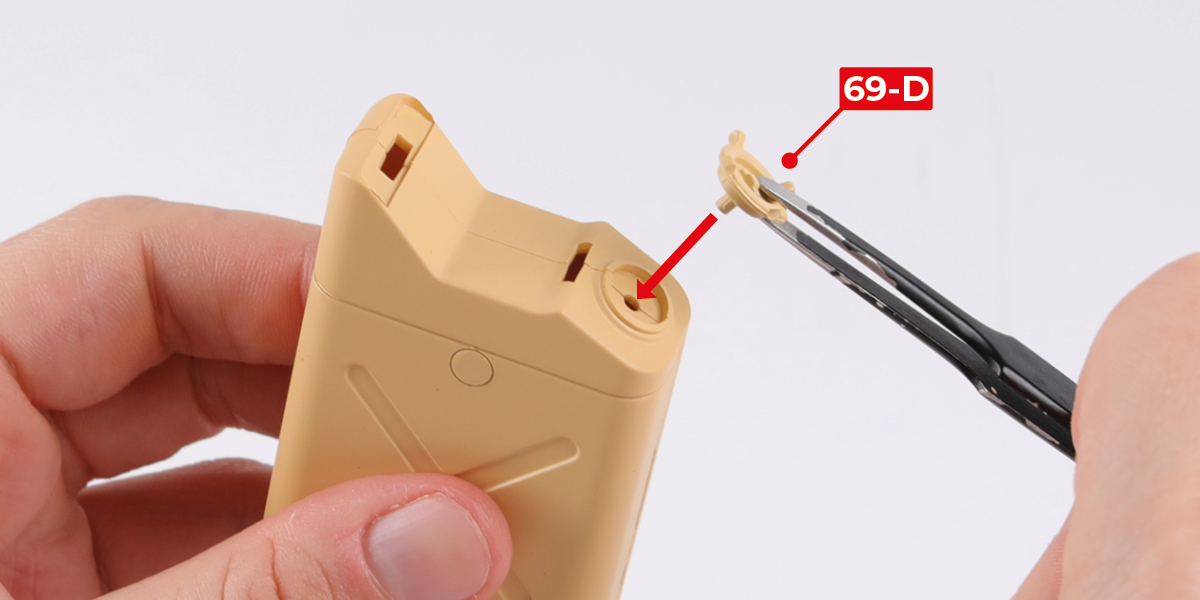
Building a jerry can
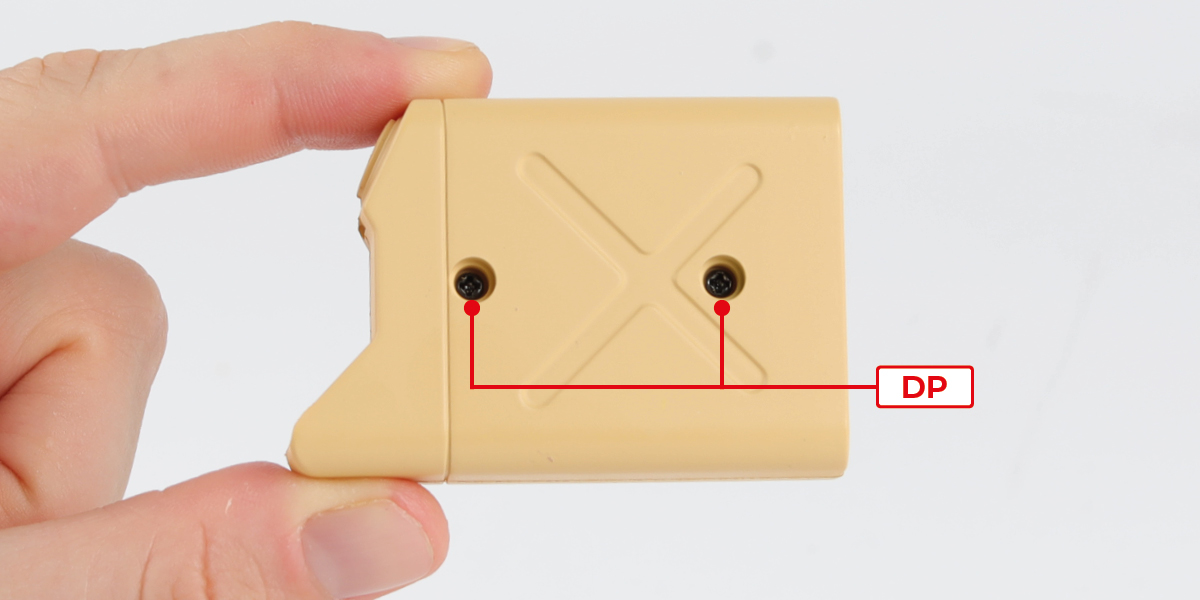
Fit part 69-B to part 69-C with 2 DP screws.
Step 3
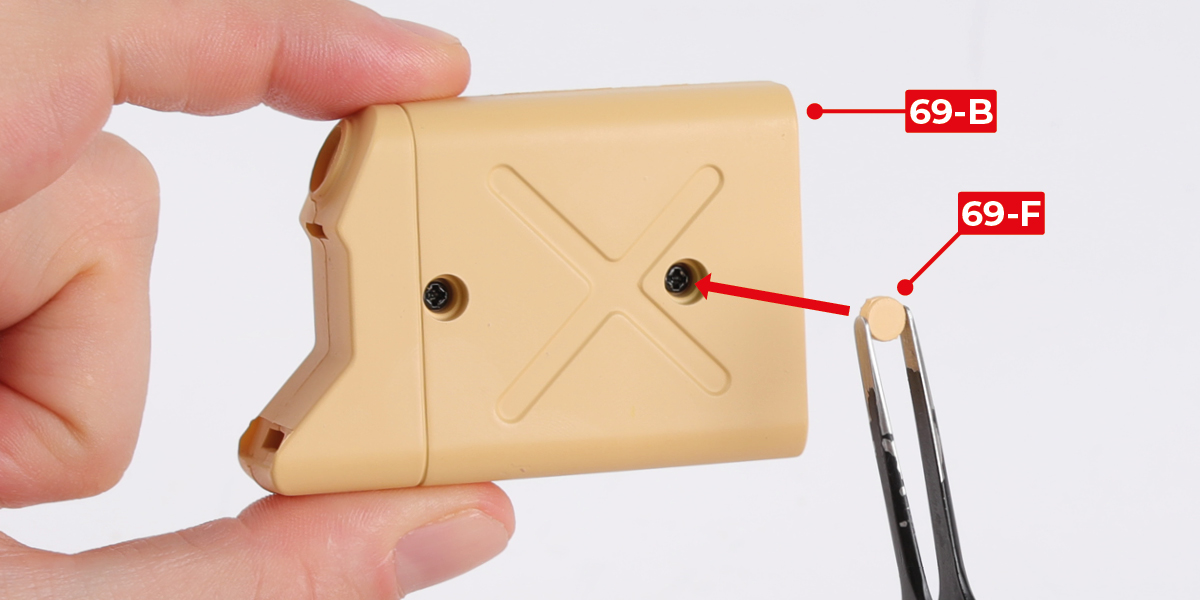
Fit parts 69-F to part 69-B.

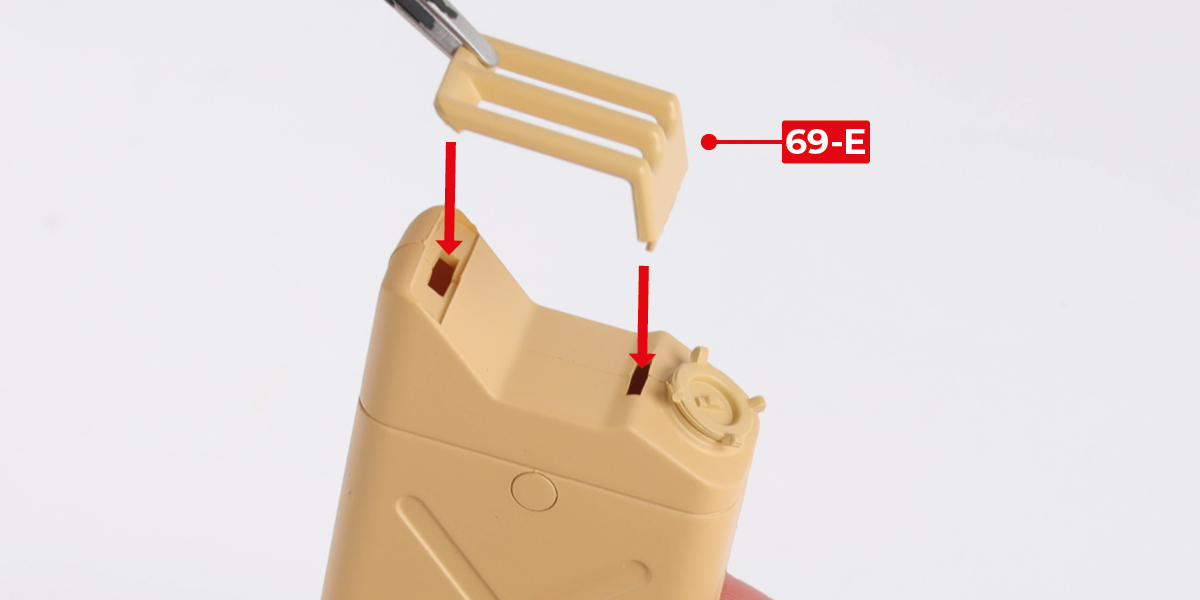
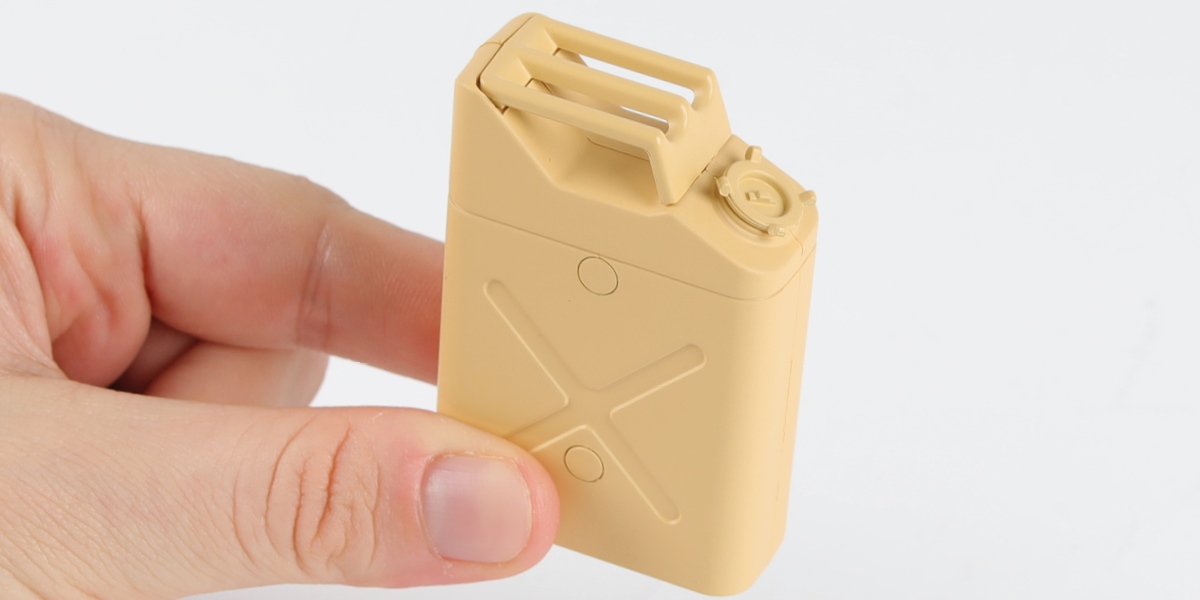
Step 4
Fit part 69-D and part 69-E to complete the jerry can, as shown.
STAGE COMPLETE
STAGE 70 PARTS

Step 1
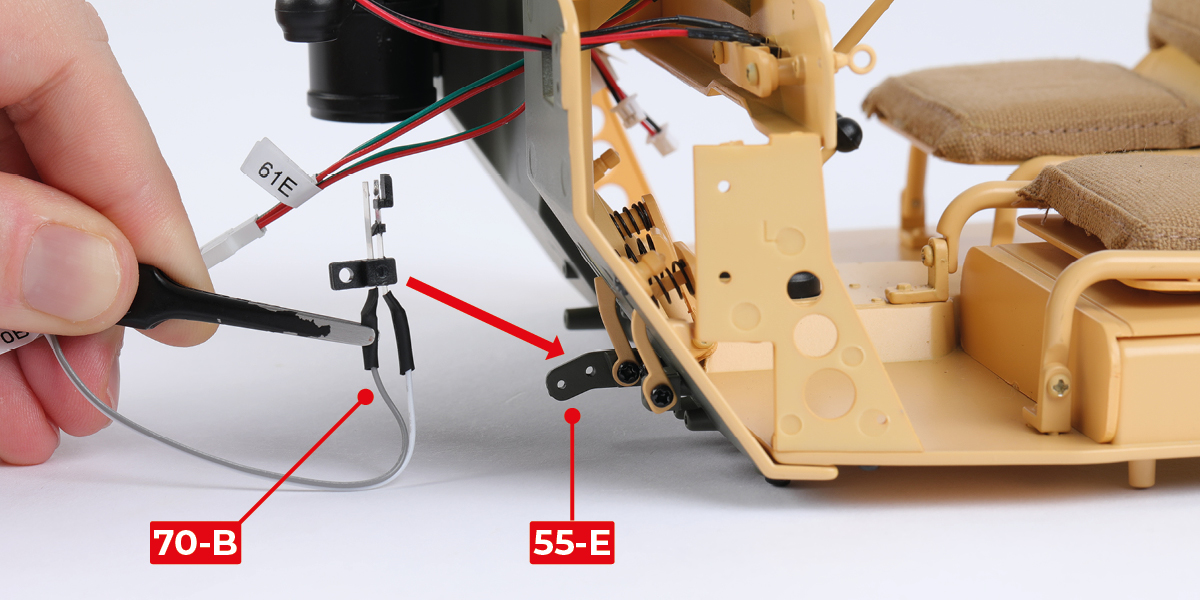
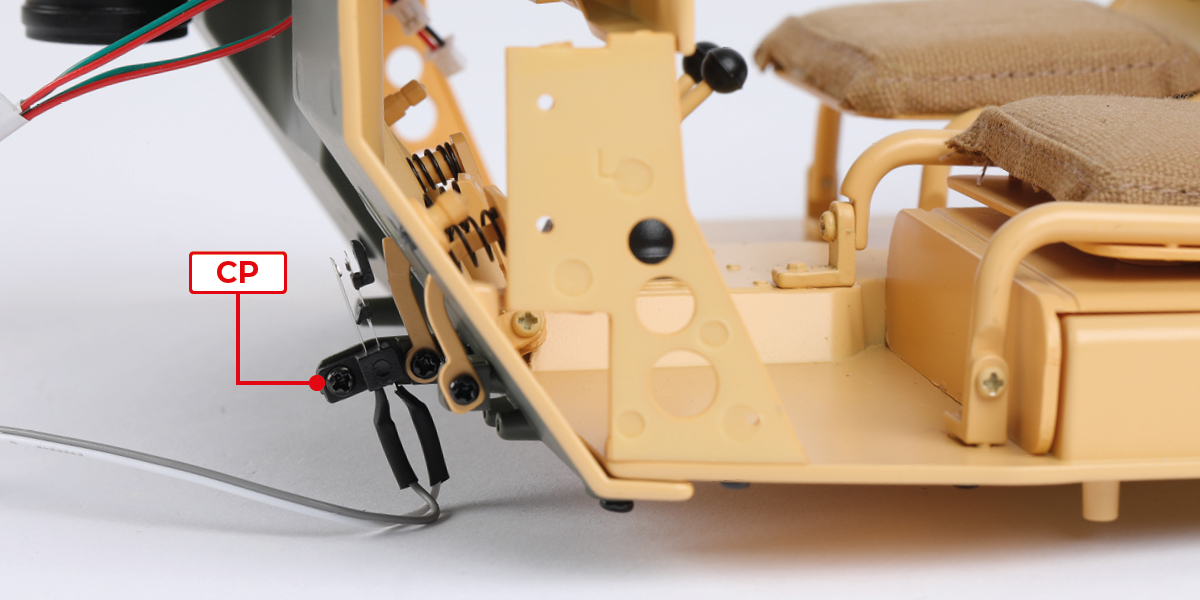
Fit part 70-B to part 55-E with 1 CP screw.
Step 2
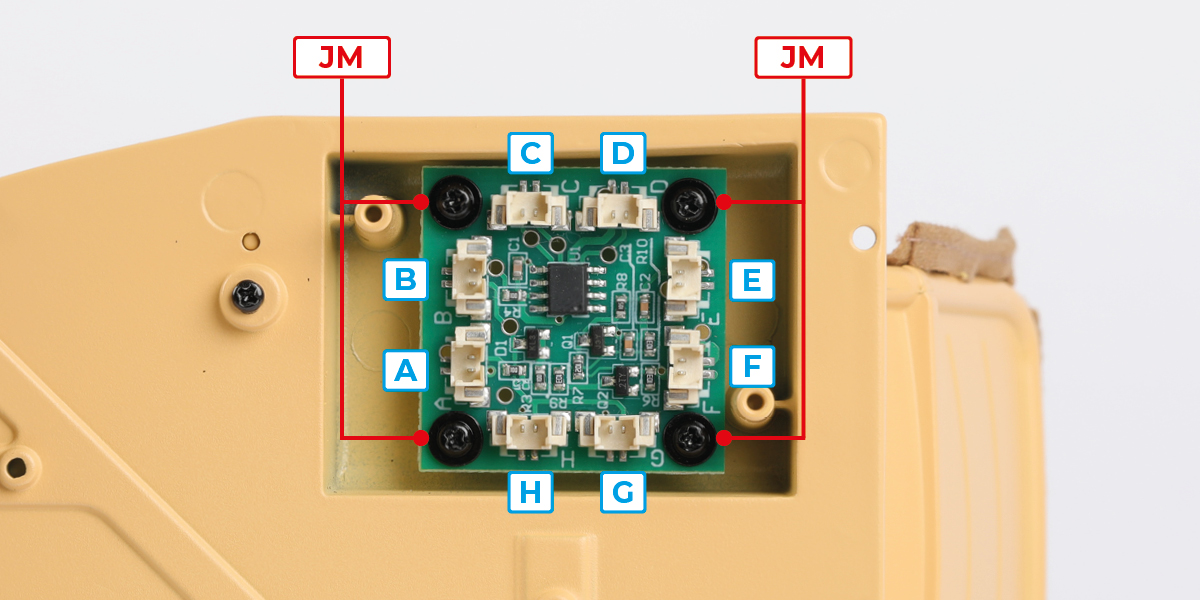
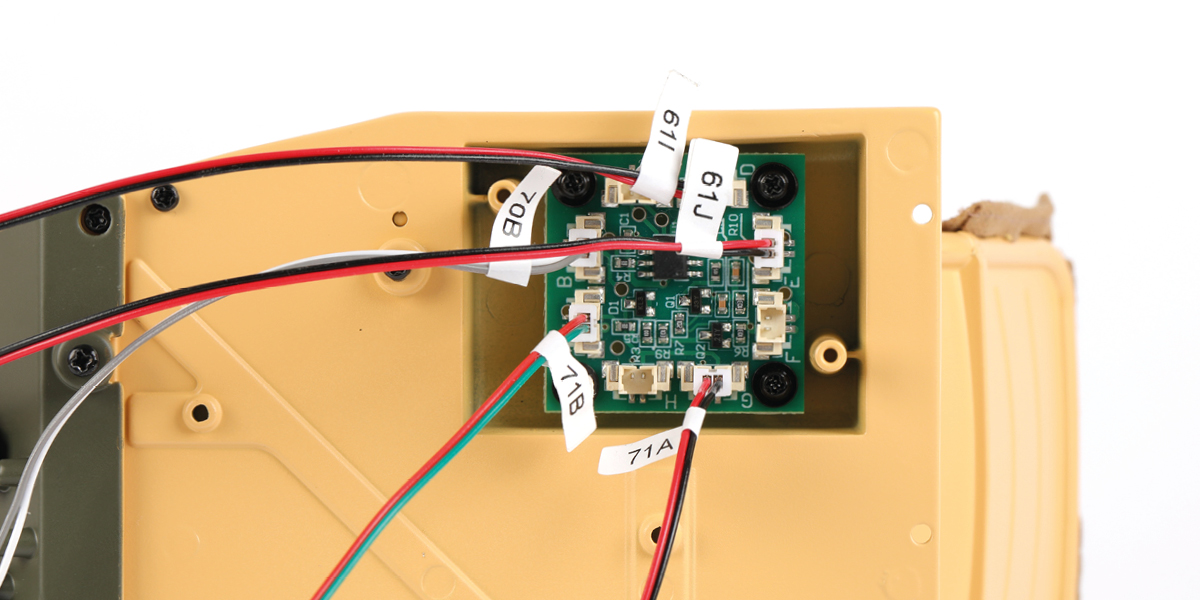
Fit part 70-A to part 38-A with 4 JM screws. Ensure the circuit board sockets are in the correct orientation.
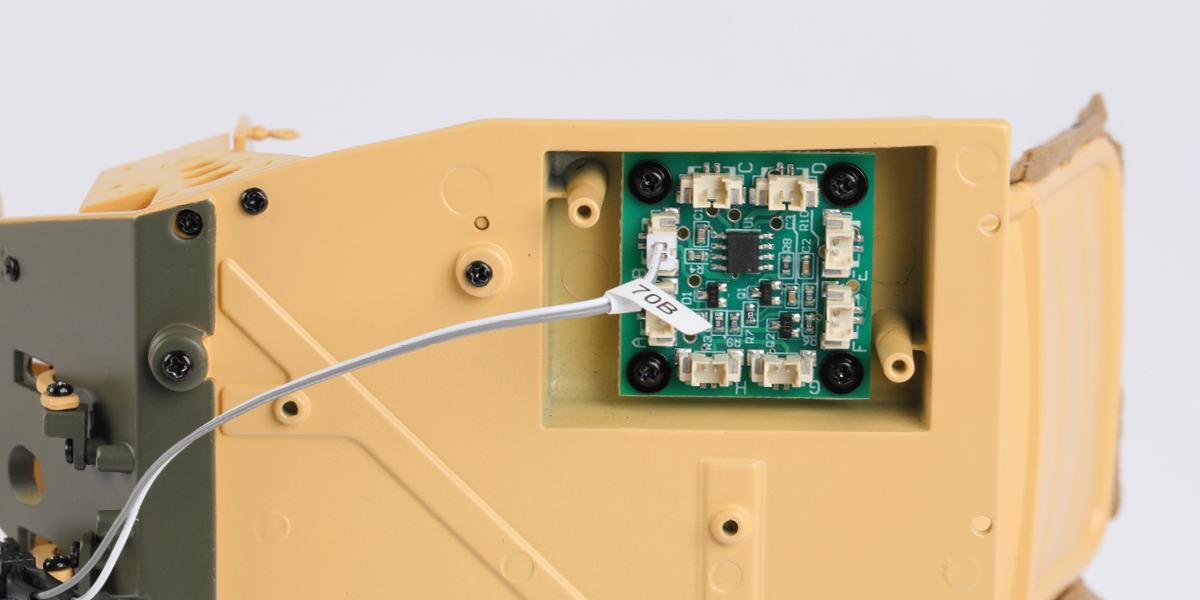
Step 3
Plug wire 70-B into socket B.
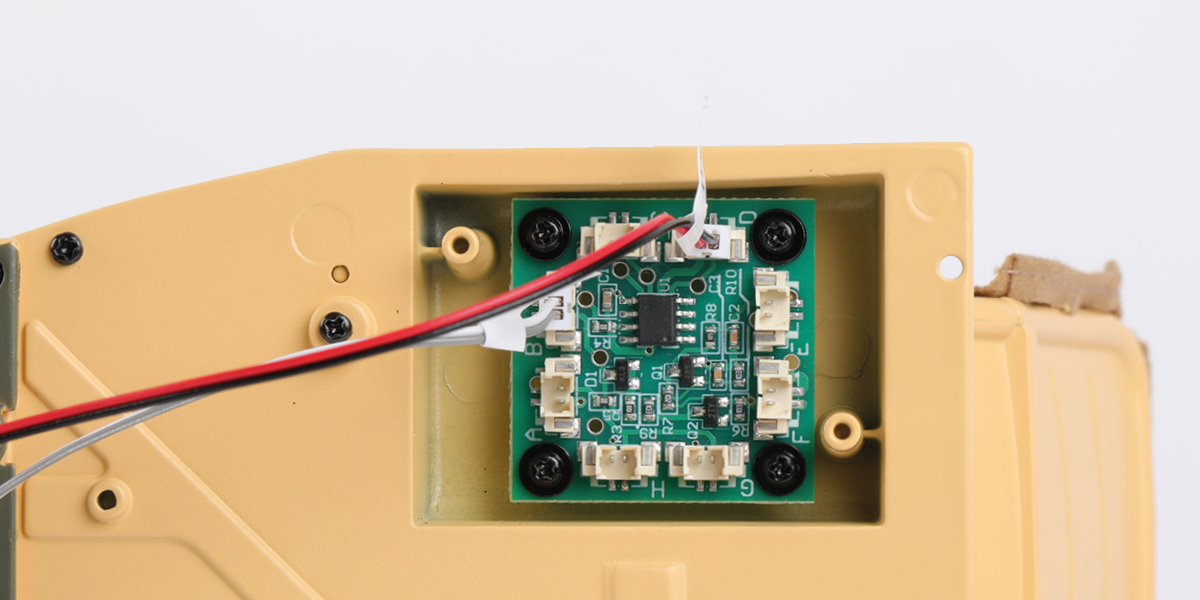
Step 4
Plug wire 61-I into socket D.

Step 5
Plug wire 61-J into socket E.

Step 6
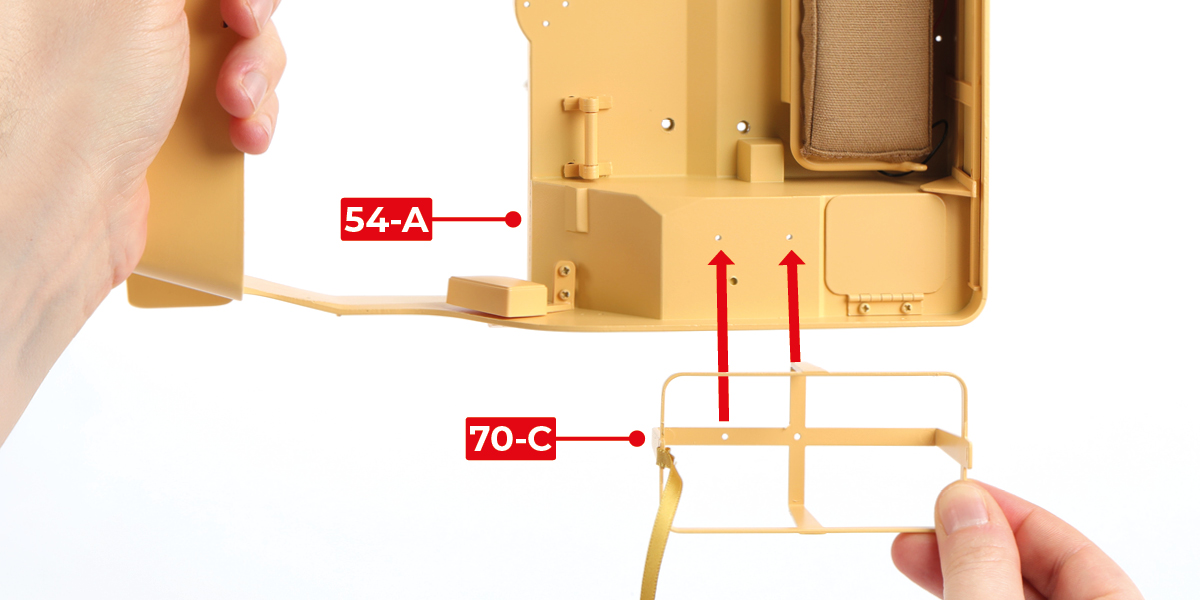
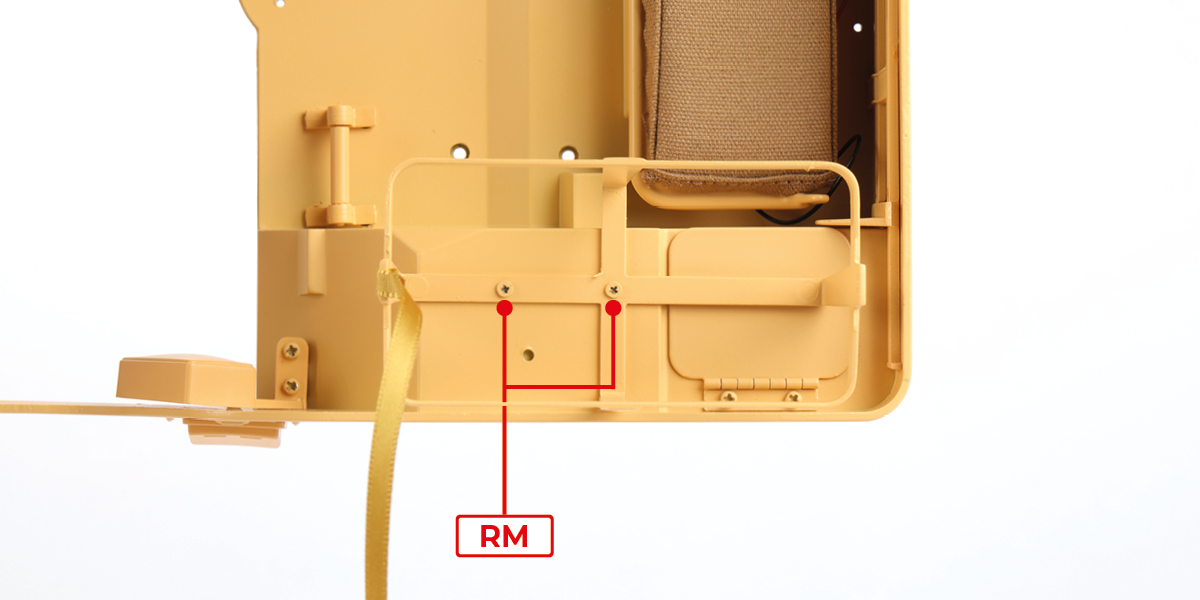
Fit part 70-C to part 54-A with 2 RM screws.
STAGE COMPLETE

STAGE 71 PARTS

Step 1
Plug wire 71-B into socket A.


Step 2
Plug wire 71-A into socket G.

Step 3
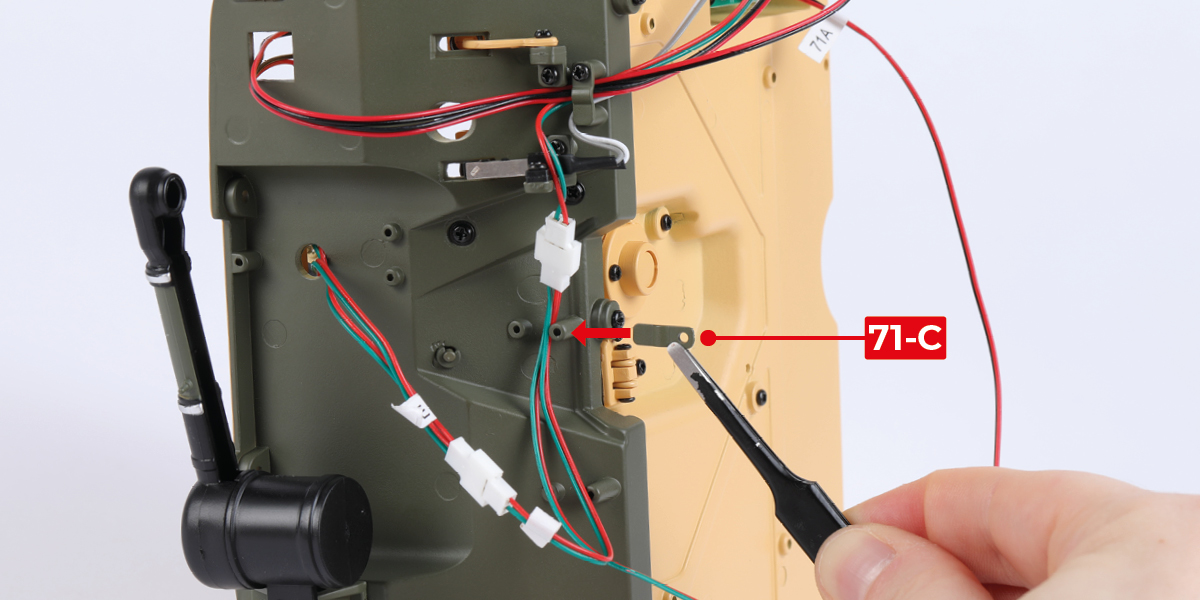
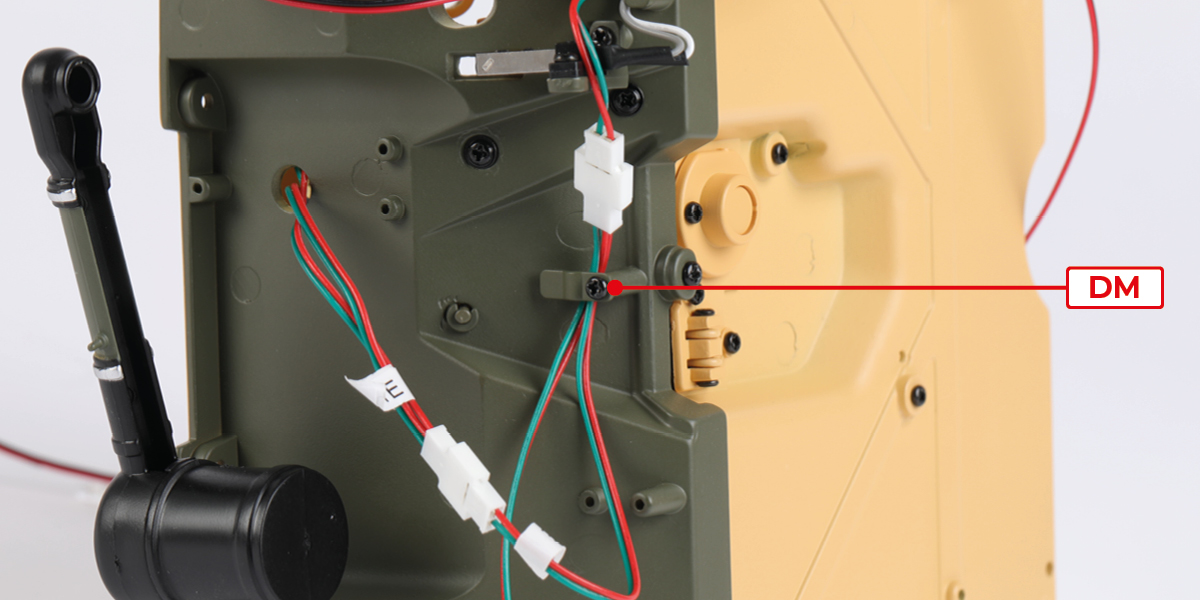
Gather wires 61-I, 61-J, 70-B and 71-B together. Route the wires between the screw posts, then fit part 71-C with 1 DM screw.


Step 4
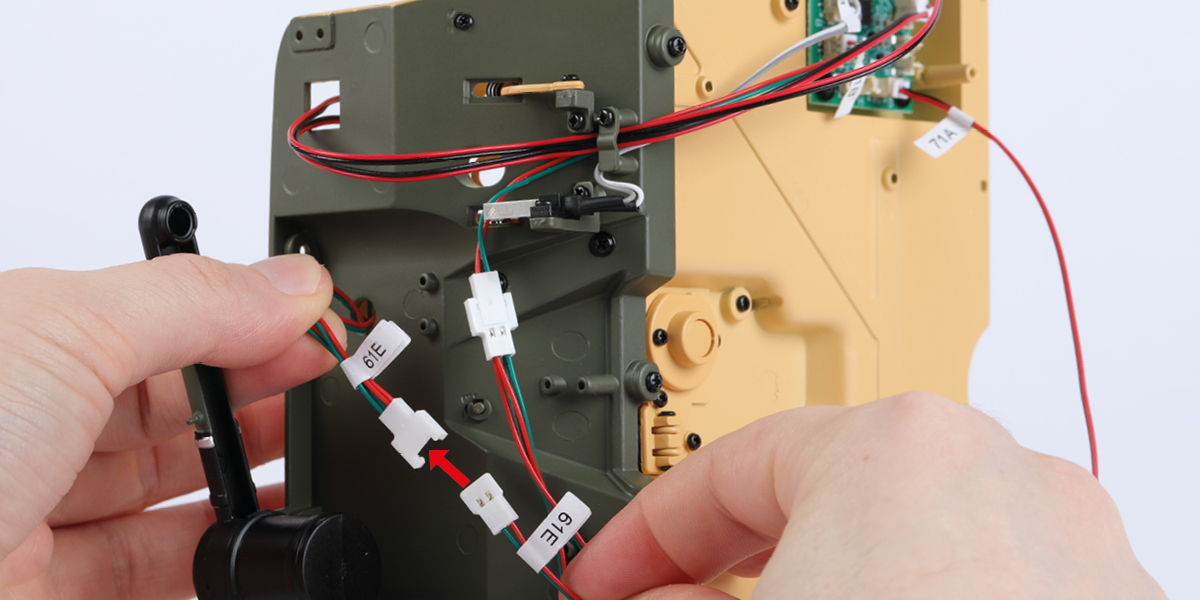
Connect the two wires labelled 61-E.

Step 5
Route the wires between the screw posts then fit part 71-C with 1 DM screw, as shown.
Step 6
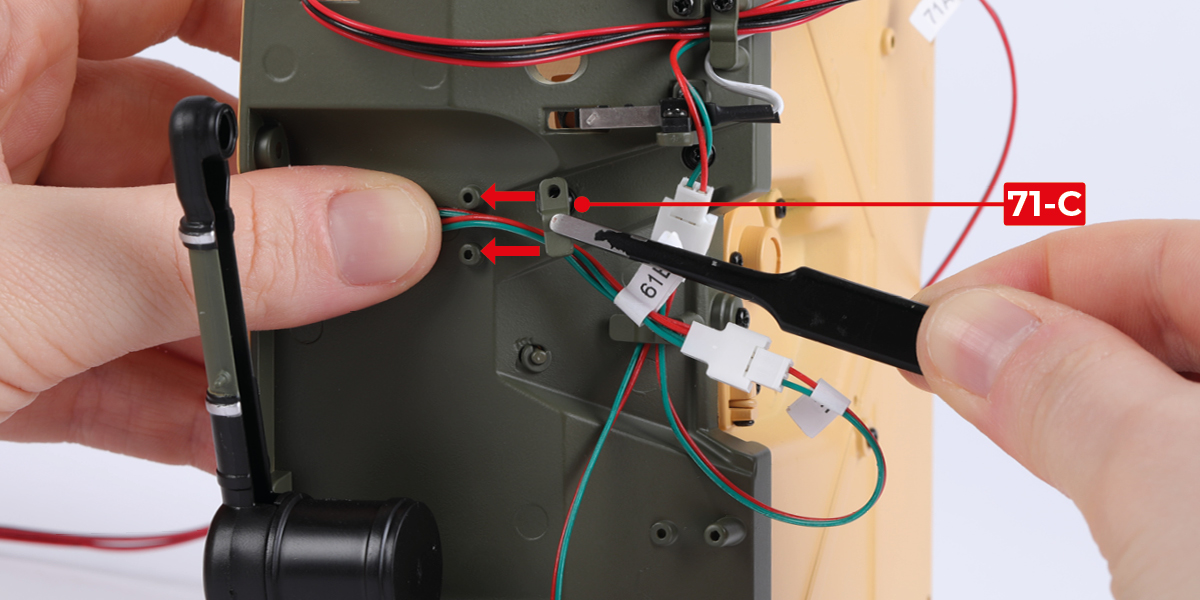
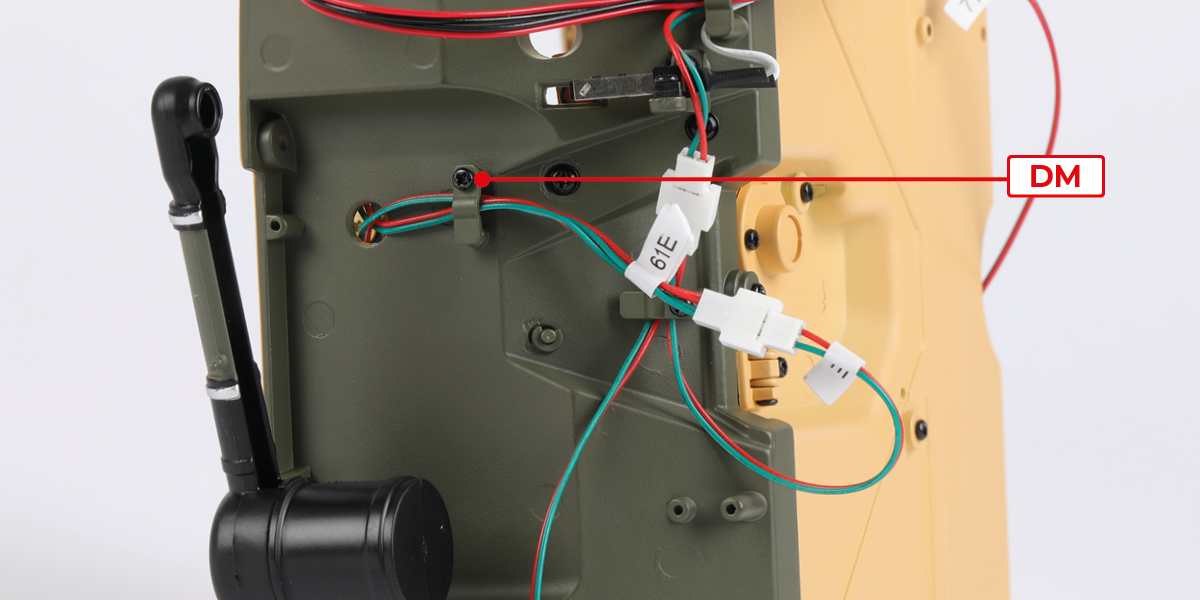
Route the wire 61-E then fit part 71-C with 1 DM screw, as shown.
Step 7
Route the wire 71-B then fit part 71-C with 1 DM screw, as shown.


Step 8
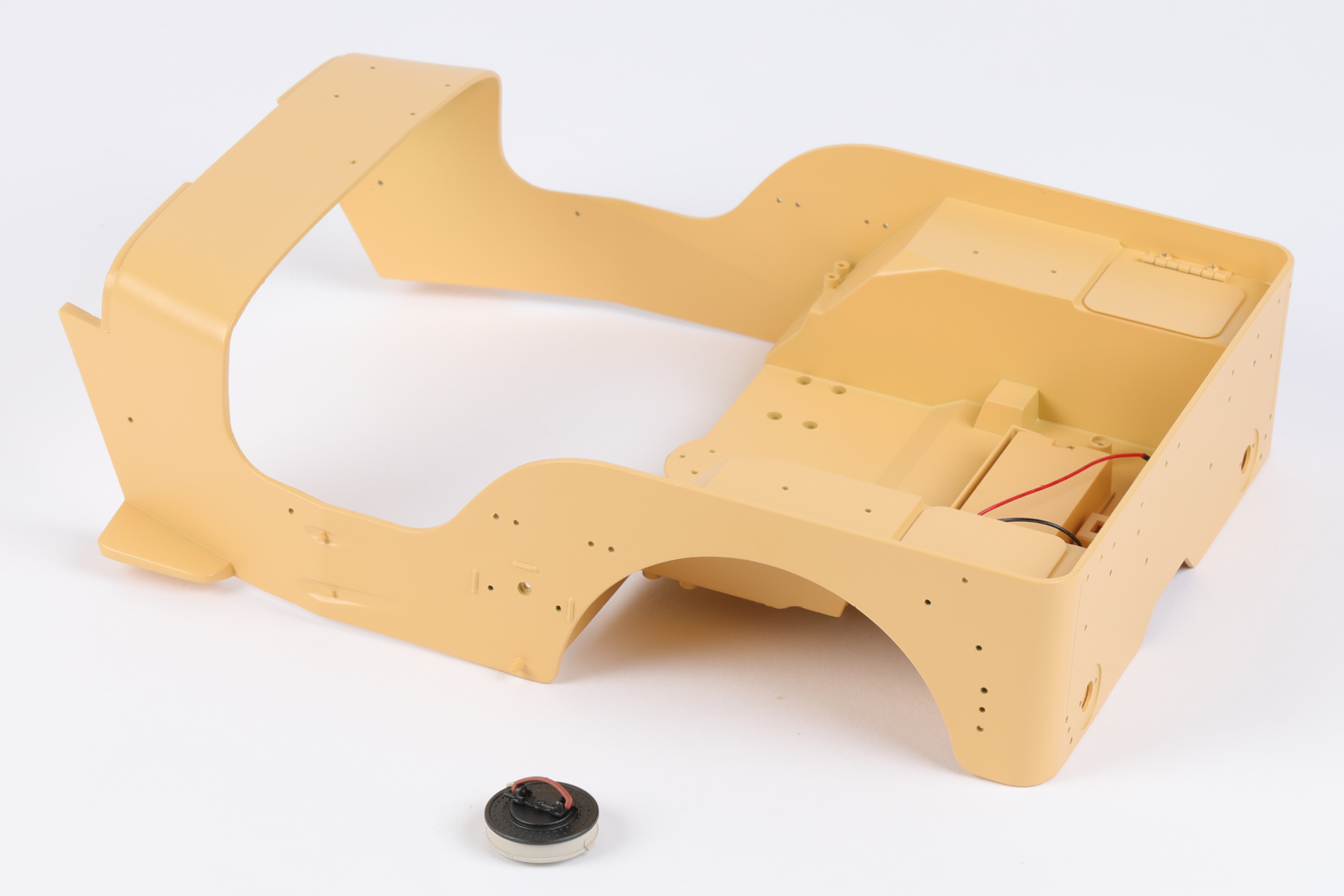
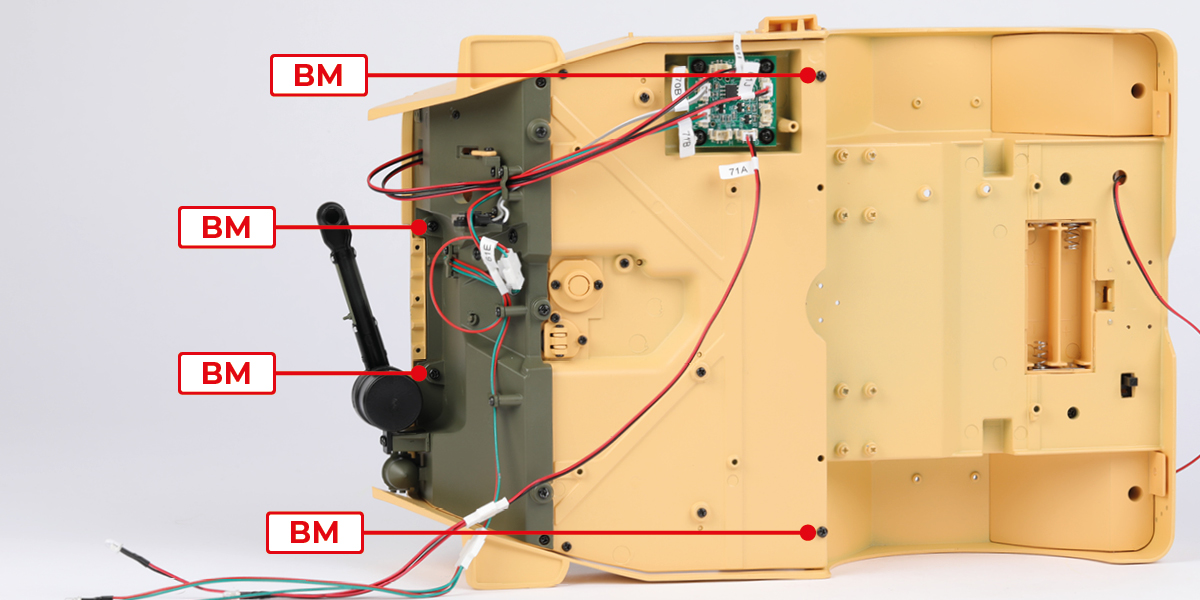
Lift the seats (blue arrows) then fit the body assembly to the cockpit assembly with 4 BM screws.

Step 9
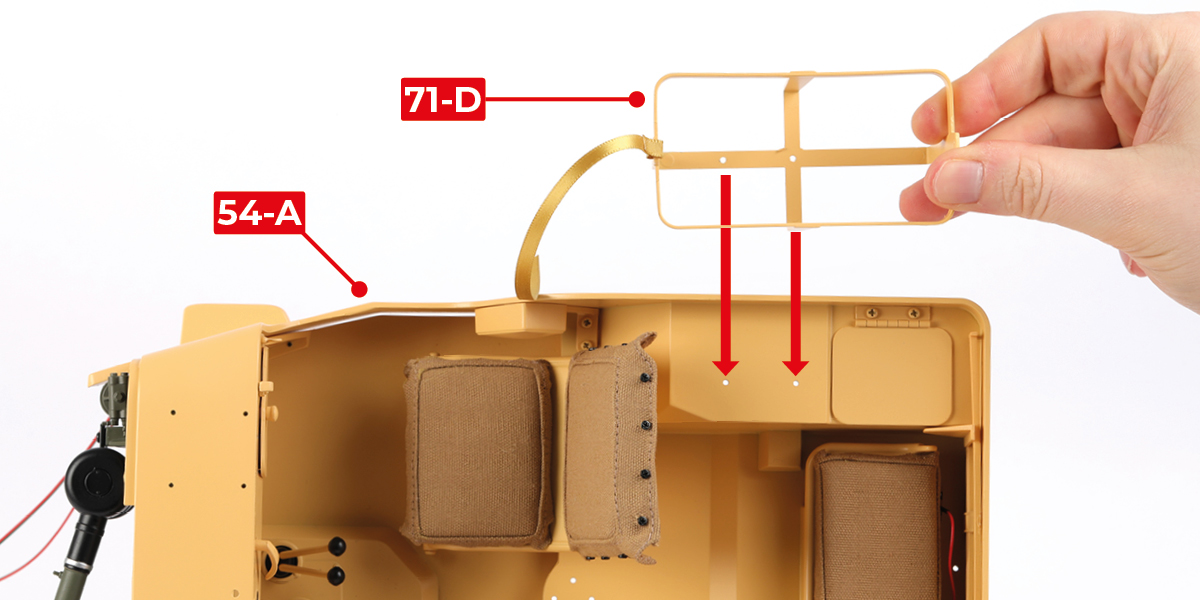
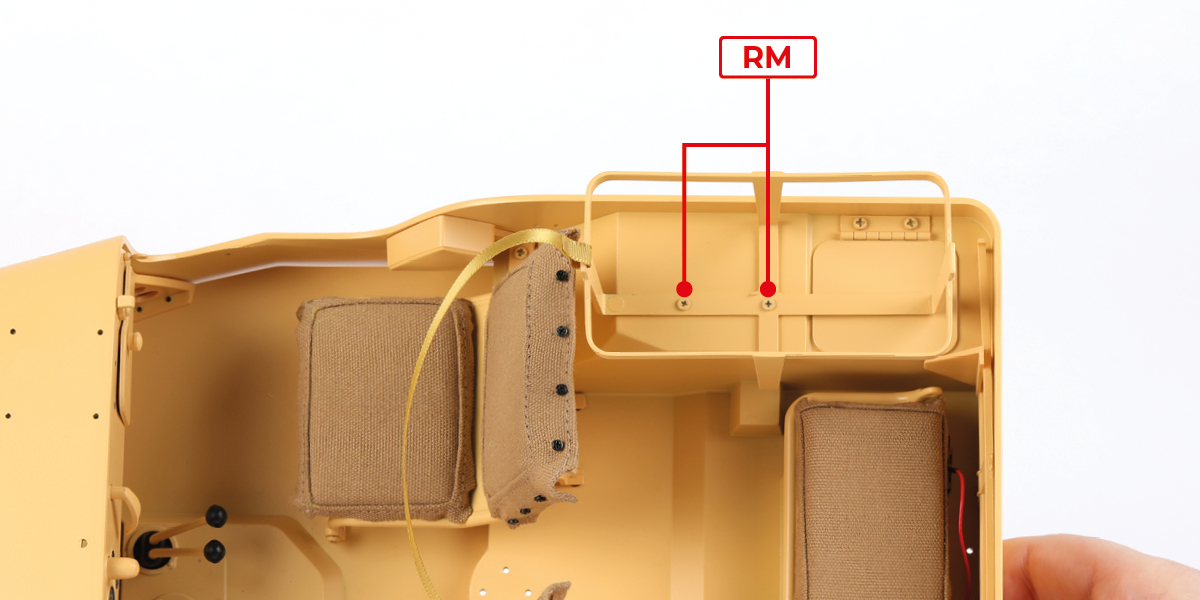
Fit part 71-D to part 54-A with 2 RM screws.
STAGE COMPLETE

STAGE 72 PARTS

Step 1
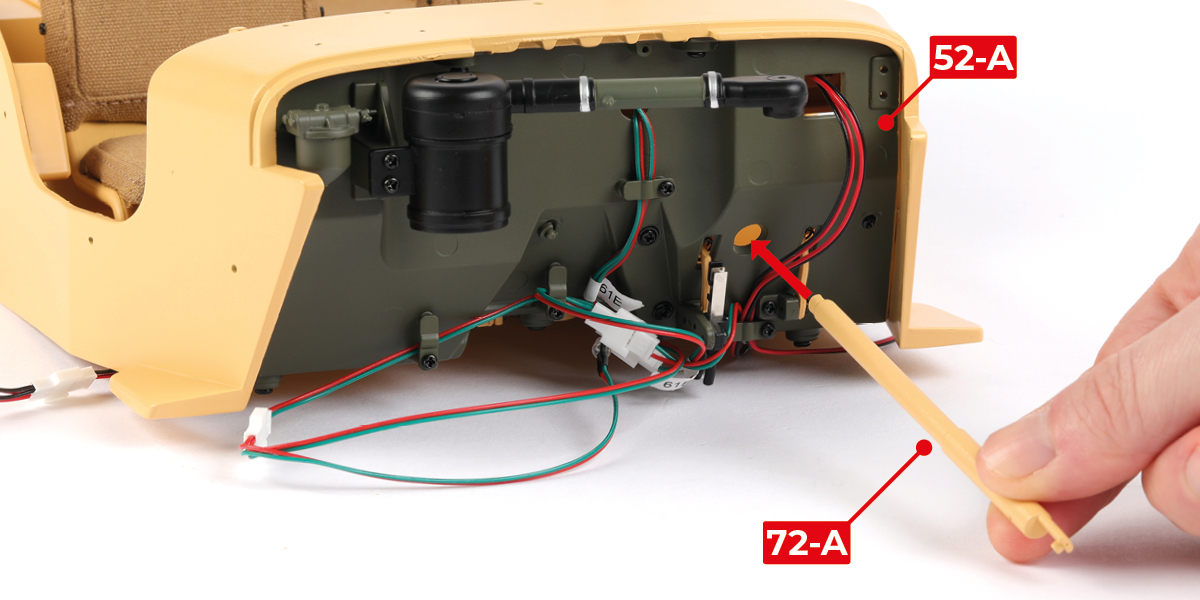
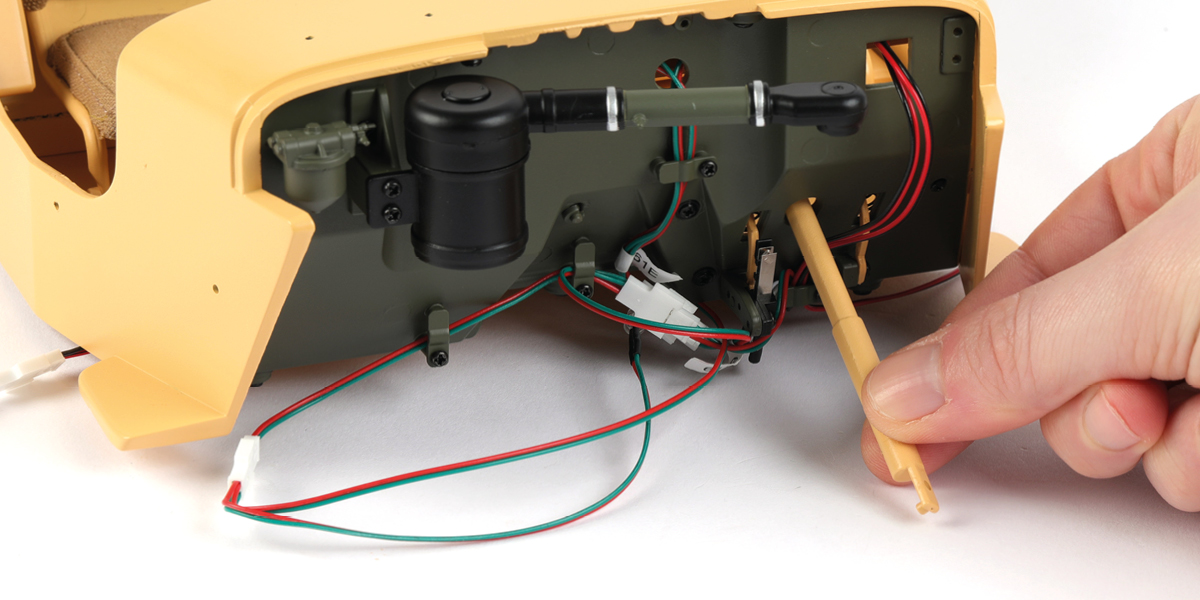
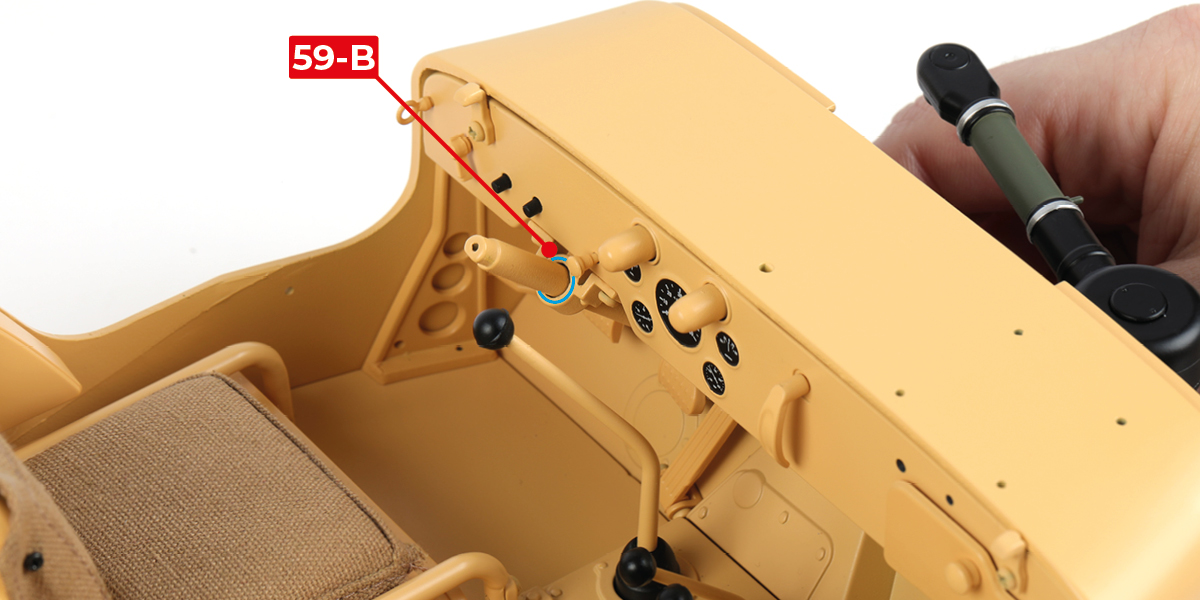
Fit part 72-A through part 52-A and 59-B, as shown.
Step 2
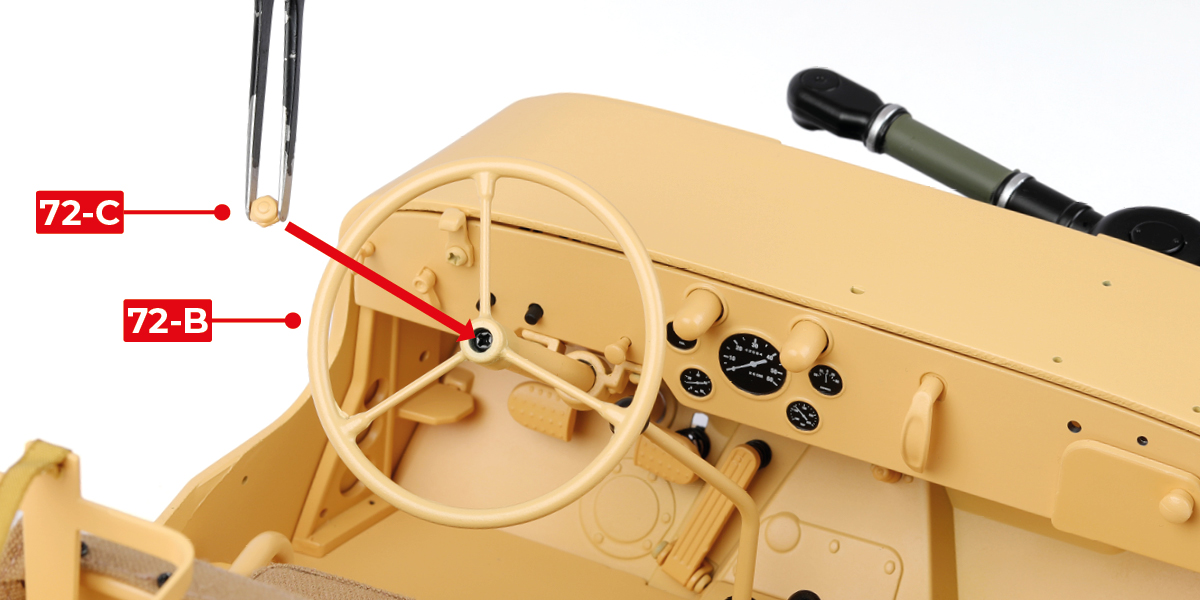
Fit part 72-B to part 72-A with 1 DM screw.


Step 3
Fit part 72-C to part 72-B.
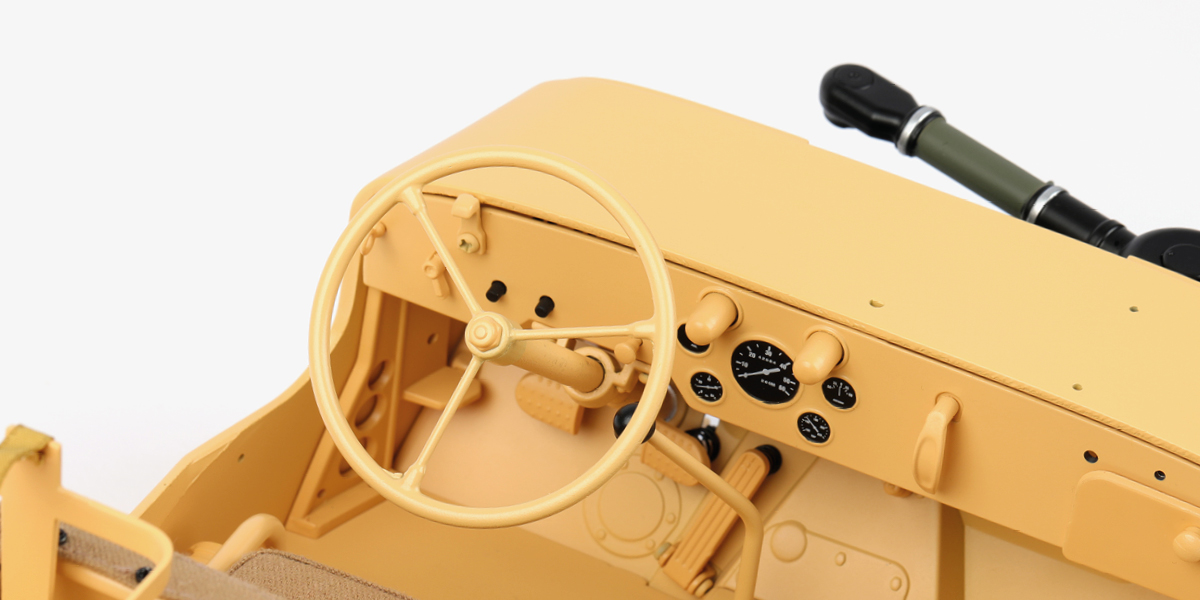
STAGE COMPLETE
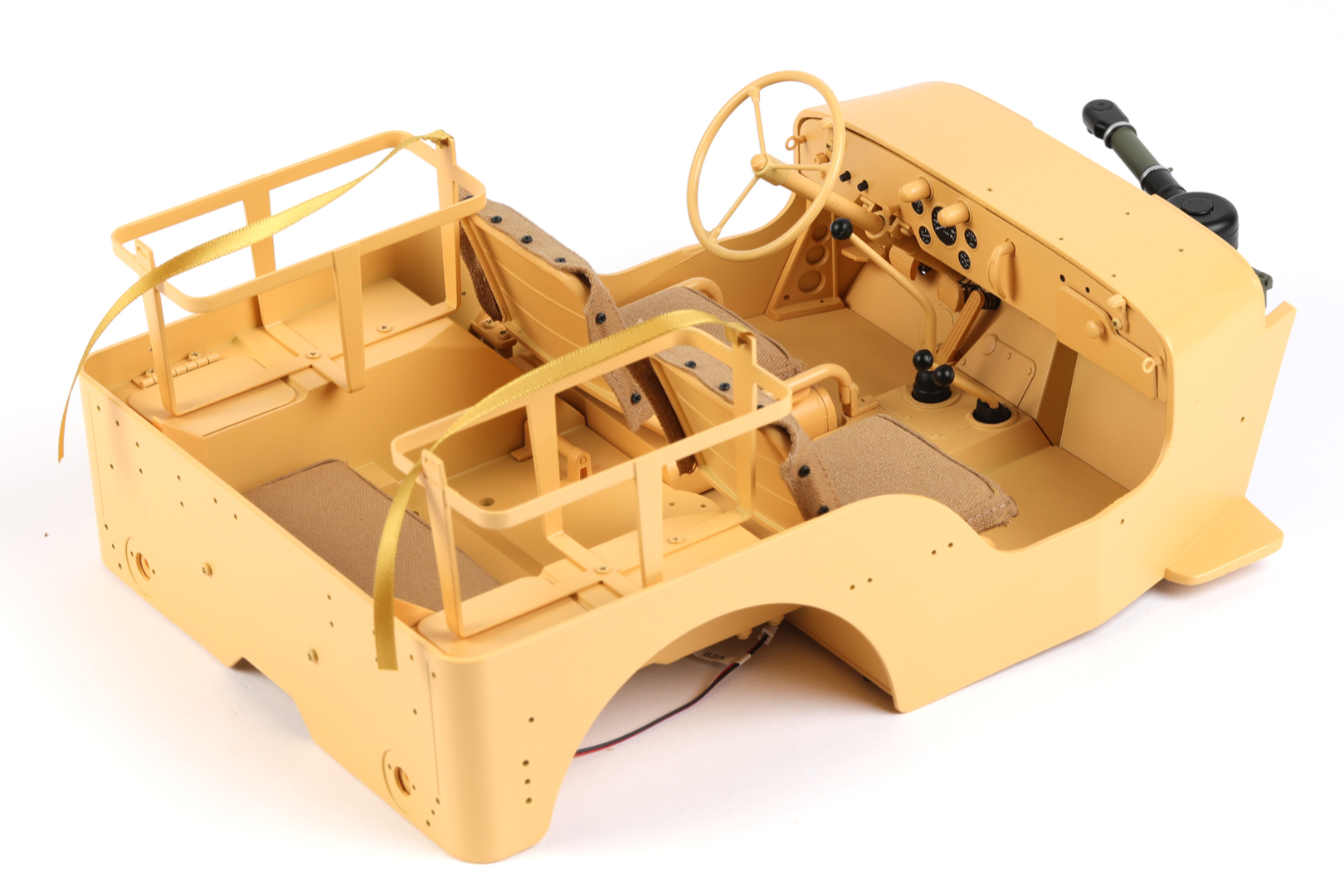
STAGE 73 PARTS

Step 1
Plug wire 62-A into socket F.


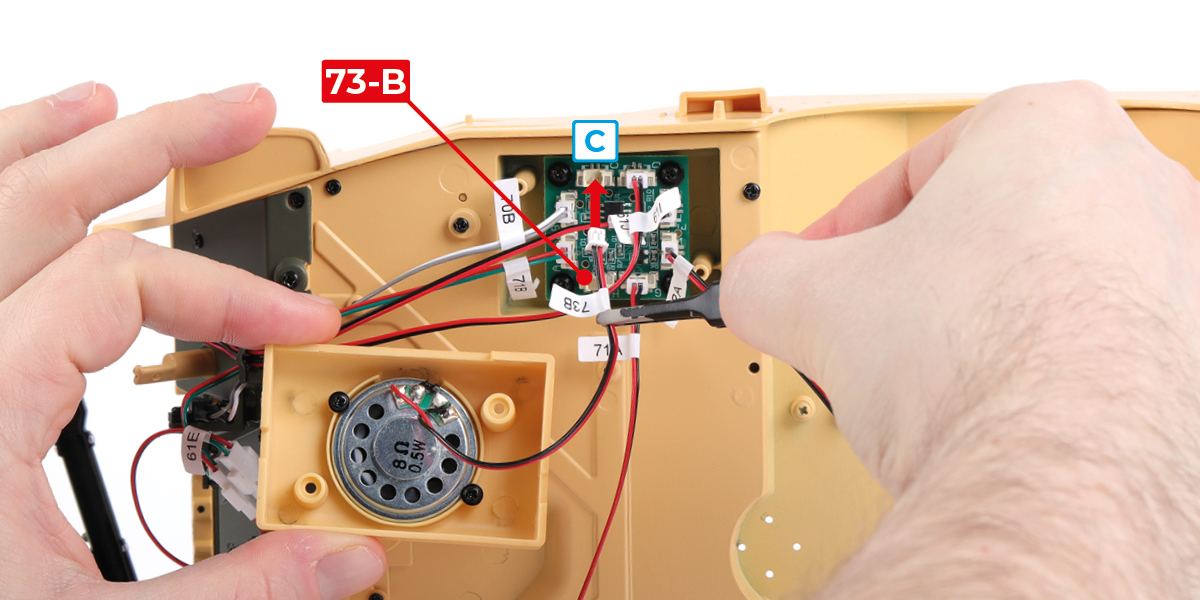
Step 2
Fit part 73-B to part 73-A with 2 GP screws.


Step 3
Plug wire 73-B into socket C.

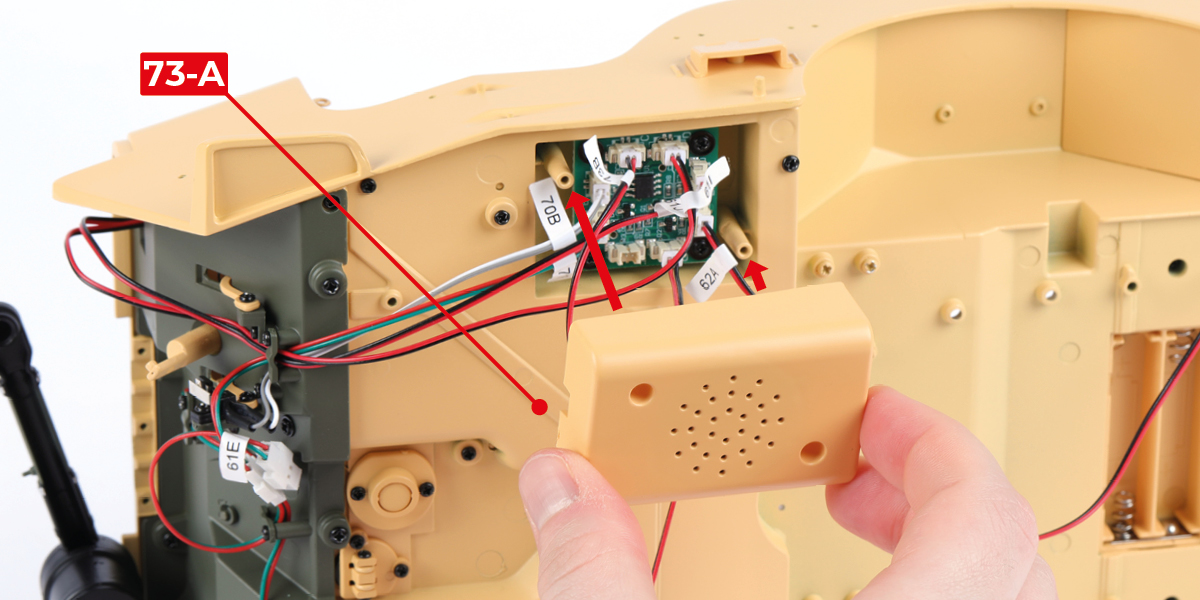
Step 4
Fit part 73-A with 2 DM screws, routing the wires as indicated.

Step 5
Insert two AAA batteries. Fit part 62-B and slide the power switch to the ON position.


Step 6
Testing the electrics
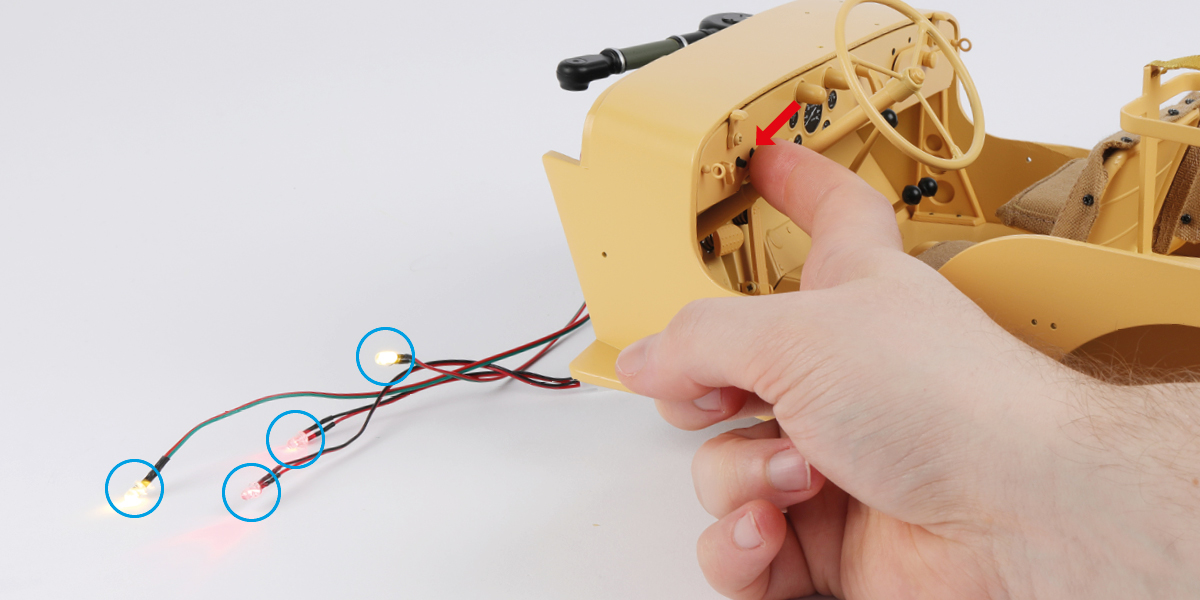
Press the right button on the dashboard. Check that all four LEDs light up. Press the button again to turn them off.
Step 7
Press the brake pedal. Check that both red LEDs light up. Release the brake pedal to turn them off.

Step 8
Press the left button on the dashboard and check the horn sounds.
After testing the electrics, slide the power switch to the OFF position.

Step 9
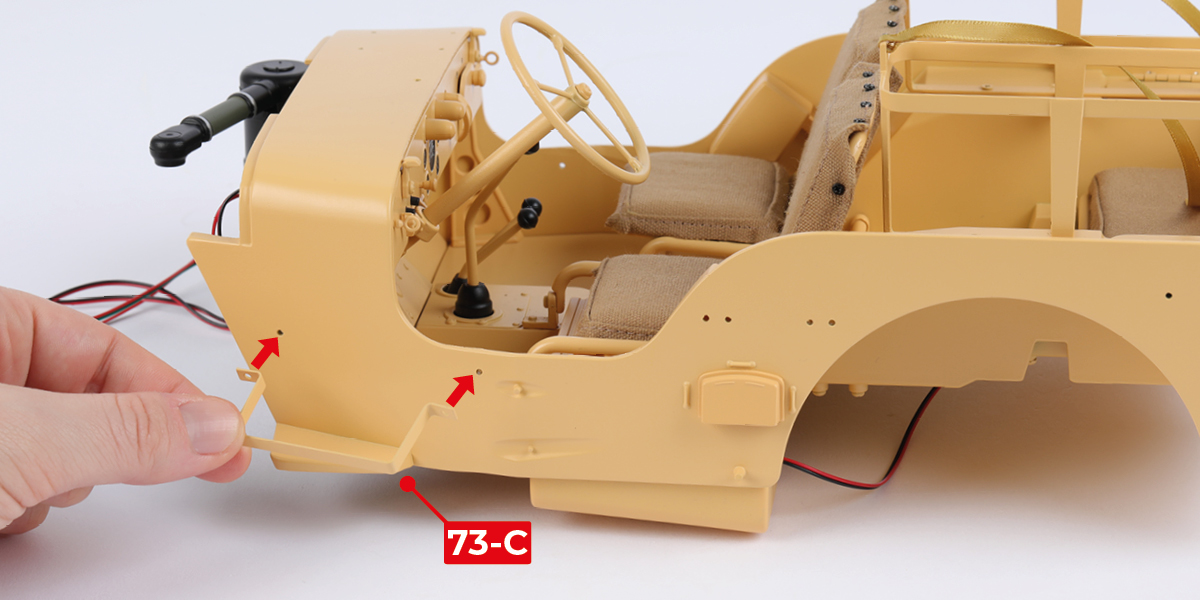
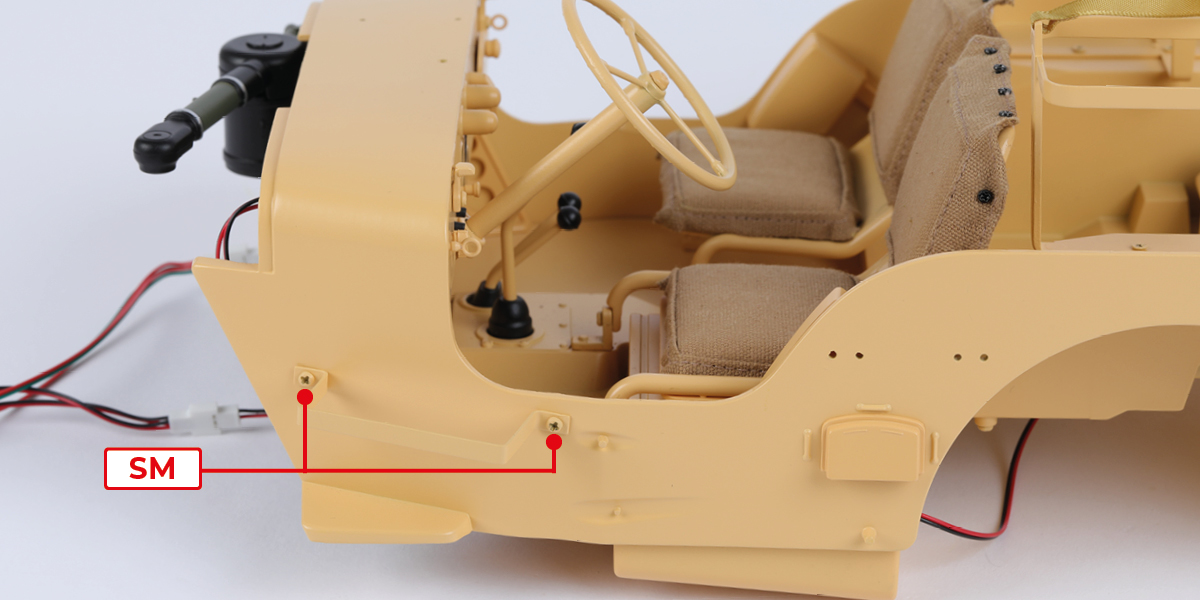
Fit part 73-C to the assembly with 2 SM screws.
Step 10
Fit the other part 73-C to the assembly with 2 SM screws.


STAGE COMPLETE